
Introduction
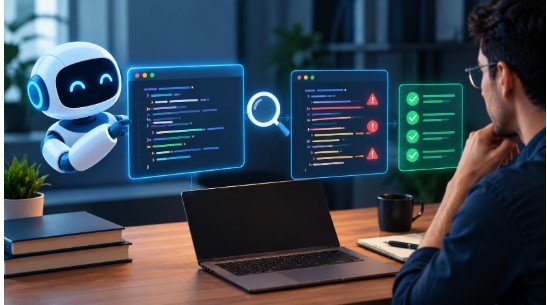
AI-generated code review has become an important part of modern software development. Developers can now use tools such as ChatGPT, Claude, GitHub Copilot, Gemini, and Cursor AI to generate functions, fix bugs, write tests, refactor code, and build application components in a fraction of the time traditional development may require.
But faster code generation creates a new challenge: how do developers make sure the generated code is actually correct?
AI-generated code can compile, pass basic tests, and look professionally written while still containing logical errors, security weaknesses, inefficient implementations, or assumptions that do not match the application.
This does not mean AI-generated code is automatically worse than human-written code. Instead, it means the development workflow changes. Developers spend less time manually writing every line and more time understanding, testing, validating, and reviewing what AI produces.
That makes AI-generated code review an essential skill for developers working with AI-assisted development.
Why AI-Generated Code Needs More Review Than Human Code
AI coding tools have changed the traditional software development workflow. Instead of manually writing every function, developers can describe what they need and let an AI system produce an initial implementation.
A reliable AI-generated code review process helps developers verify that AI-produced code meets functional requirements, follows established coding standards, and remains compatible with the existing application. It also helps teams identify potential problems before they reach production.
This can save considerable time, particularly for repetitive programming tasks.
However, AI does not automatically know everything about the application it is modifying.
A developer may understand:
-
The application’s architecture
-
Business requirements
-
Security policies
-
Existing coding standards
-
Database structure
-
Performance requirements
-
Legacy system limitations
-
Why a particular technical decision was made
An AI model may only see the information included in its available context.
This is one reason reviewing AI-generated code requires more than checking whether the syntax is valid.
AI Can Produce Code That Looks Correct
One of the biggest challenges with AI generated code review is that incorrect code can look convincing.
An AI system may generate a function with appropriate variable names, comments, error handling, and formatting. Yet the underlying logic may still be wrong.
For example, an AI tool might create an authentication function that appears to work but fails to handle:
- Invalid credentials
- Expired sessions
- Rate limiting
- Authorization
- Unexpected input
- Sensitive error messages
A human reviewer needs to compare the implementation with the actual requirements.
AI Does Not Automatically Understand Business Context
Software is more than individual functions.
A piece of code may technically work but still be inappropriate for the product.
The implementation might violate an existing architectural pattern, introduce an unnecessary dependency, duplicate existing functionality, or create problems elsewhere in the application.
This is why AI-generated code review should examine the relationship between the generated code and the larger system.
CodeCondo’s discussion of modern AI coding workflows similarly describes AI as a development accelerator while emphasizing that developers still need to understand and manage the resulting software. AI Coding in 2026: How Developers Are Building 10x Faster With AI-Powered Workflows
Common Problems Found During AI-Generated Code Review


A structured AI generated code analysis can reveal several categories of problems.
The goal is not to assume that AI-generated code contains errors. Instead, reviewers should know which areas deserve particular attention.
An effective AI-generated code review examines functionality, security, maintainability, and compatibility rather than relying only on successful compilation or basic testing.
1. Incorrect Logic
AI may misunderstand a requirement or make an incorrect assumption.
For example, a function might work for the normal case but fail when:
-
Input is empty
-
A value is null
-
A database record does not exist
-
An API returns an unexpected response
-
Multiple requests occur simultaneously
These situations can create bugs that are not immediately visible.
2. Security Problems
Security should be one of the highest-priority areas during AI-generated code review.
Reviewers should look for:
- Hard-coded credentials
- Exposed API keys
- Weak authentication
- Missing authorization checks
- Unsafe input handling
- SQL injection risks
- Insecure file operations
- Sensitive information in logs
Security-sensitive code should receive careful human validation regardless of whether it was generated by AI or written manually.
3. Outdated or Incorrect APIs
AI models may generate code based on patterns that do not match the current version of a framework or library.
A generated example can look perfectly reasonable while using an outdated method.
Developers should therefore verify important APIs against official documentation.
4. Unnecessary Dependencies
AI can introduce a library simply because it provides a convenient solution.
Before accepting a new dependency, ask:
- Is it actually necessary?
- Does the project already have an equivalent?
- Is it actively maintained?
- Does it introduce security concerns?
- Does it increase application complexity?
5. Maintainability Problems
A solution that works today may still be difficult to maintain.
AI generated code quality should therefore be evaluated based on readability, structure, consistency, and long-term maintenance.
Eduonix’s discussion of AI-powered development also emphasizes combining AI tools with software engineering fundamentals instead of treating generated code as a replacement for engineering knowledge. AI-Powered Development: How AI Is Transforming the Future of Software Engineering
AI-Generated Code Review: What Developers Should Check
A good AI-generated code review does not mean manually examining every character.
A practical AI-generated code review checklist gives developers a repeatable method for evaluating AI-written code. By checking requirements, logic, security, tests, performance, and architecture, reviewers can catch issues before approving a change.
Instead, developers can use a structured checklist.
Review Area |
What to Check |
Requirements |
Does the code solve the actual problem? |
Logic |
Does it handle normal and edge cases? |
Security |
Could it expose vulnerabilities or sensitive data? |
Testing |
Are important behaviors properly tested? |
Performance |
Could it become inefficient at scale? |
Dependencies |
Are new libraries necessary? |
Maintainability |
Can another developer understand it? |
Architecture |
Does it fit the existing application? |
Check Functionality First
Begin by asking:
Does this code actually do what it is supposed to do?
Do not use compilation as proof of correctness.
A program can compile successfully and still produce incorrect results.
Compare the implementation with the original requirement and acceptance criteria.
Examine Edge Cases
AI-generated code often focuses on the expected scenario.
A reviewer should consider what happens when:
- Input is missing
- Input is invalid
- A service is unavailable
- A request times out
- A database returns no records
- A user performs an unexpected action
Edge-case testing is an important part of reviewing AI generated code.
Review Security
Look carefully at code involving:
- User authentication
- Payments
- Personal information
- Database queries
- File uploads
- APIs
- Access permissions
Security should never be accepted simply because the generated code looks professional.
Evaluate Performance
A generated solution may be functional but inefficient.
Check for:
- Repeated database queries
- Unnecessary loops
- Excessive API requests
- Inefficient algorithms
- Unnecessary memory usage
Performance requirements should be considered in the context of the application rather than judged only from the code itself.
How ChatGPT, Claude, GitHub Copilot, Gemini, and Cursor AI Fit Into the Workflow
Developers now have several AI-assisted development options. ChatGPT, Claude, GitHub Copilot, Gemini, and Cursor AI can all assist with different coding tasks.
Their exact features and workflows differ, but the same review principle applies: generated code should be validated before it becomes part of a production system.
ChatGPT
Developers can use ChatGPT to:
-
Generate code
-
Explain unfamiliar code
-
Debug errors
-
Suggest tests
-
Analyze implementation approaches
-
Review snippets
The tool can help developers reason about possible problems, but its suggestions still need verification.
Claude
Claude can assist with code generation, debugging, analysis, and working with larger development contexts.
It can be useful for asking questions about existing implementations and identifying potential issues.
However, explanations generated by Claude should also be checked against the actual application behavior.
GitHub Copilot
GitHub Copilot is integrated into developer workflows and can assist with code generation and code review.
GitHub’s documentation explains that Copilot can review pull requests and provide comments and suggested changes. GitHub Copilot code review
This makes it possible to add AI-assisted review to an existing pull-request workflow rather than treating review as a separate process.
Gemini
Gemini can assist developers with code generation, debugging, explanation, and development-related tasks.
As with other AI systems, developers should validate generated implementations against project requirements and current technical documentation.
Cursor AI
Cursor AI brings AI-assisted coding directly into the development environment.
Developers can use it for generating and modifying code, explaining existing code, debugging, and other development tasks.
The important point is not which tool generated the code. The important point is whether the resulting code is correct, secure, tested, and maintainable.
Eduonix’s recent overview of AI coding assistants covers ChatGPT, Claude, Gemini, GitHub Copilot, and Cursor and describes how these tools are increasingly integrated into modern development workflows. AI Coding Assistants Compared: ChatGPT, Claude, Gemini, GitHub Copilot and the 2026 Landscape
How to Review AI-Generated Code Efficiently
The biggest concern with AI-generated code review is time.
If AI is supposed to make development faster, developers do not want the review process to eliminate those productivity gains.
The solution is a repeatable workflow.
The goal of an efficient AI-generated code review workflow is to combine automated checks with human judgment, reducing repetitive work without compromising software quality.
Step 1: Understand the Requirement
Before reviewing the implementation, understand what the code is supposed to accomplish.
Identify:
-
Expected behavior
-
Inputs
-
Outputs
-
Constraints
-
Security requirements
-
Performance requirements
-
Acceptance criteria
This creates a standard against which the generated code can be evaluated.
Step 2: Review the Diff
If AI modifies an existing project, start with the changes rather than reading the entire codebase.
Look for:
-
New files
-
Deleted code
-
Changed functions
-
New dependencies
-
Modified configuration
-
Changes to database or API behavior
A focused diff makes reviewing AI generated code more manageable.
Step 3: Ask the AI to Explain Its Decisions
You can ask the AI:
-
Why did you choose this implementation?
-
What assumptions did you make?
-
What edge cases could fail?
-
What security risks exist?
-
Are there simpler alternatives?
-
What tests should be added?
The answers should guide your investigation rather than serve as proof.
Step 4: Run Automated Checks
Use automation to handle repetitive validation.
Depending on the project, this may include:
-
Unit tests
-
Integration tests
-
End-to-end tests
-
Linters
-
Type checking
-
Static analysis
-
Dependency scanning
-
Security scanning
Automation allows human reviewers to focus on architecture, requirements, and judgment.
Step 5: Perform Human Review
Finally, someone who understands the project should review the code.
Ask:
Would I understand and be able to maintain this code later?
If not, the code needs further investigation or improvement.
Best Practices for Reviewing AI-Generated Code
The best best practices for reviewing AI generated code are straightforward and repeatable.
Following consistent AI-generated code review practices helps development teams maintain code quality as AI adoption grows. Clear requirements, small changes, automated tests, and documented review standards make the process easier to repeat across projects.
Keep AI-Generated Changes Small
Instead of asking AI to rewrite an entire application, divide large tasks into smaller changes.
Smaller changes are easier to:
- Understand
- Test
- Review
- Debug
- Revert
Give AI Clear Context
The quality of AI output depends partly on the context available to the system.
Provide relevant information such as:
- Architecture
- Coding standards
- Framework versions
- Existing patterns
- Requirements
- Testing expectations
Clear requirements reduce ambiguity.
Do Not Automatically Trust AI-Generated Tests
AI can generate tests, but tests can also be incomplete.
For example, an AI-generated test might verify the implementation rather than the actual business requirement.
Review the tests themselves.
Ask whether they cover meaningful scenarios and failure conditions.
Use Multiple Review Layers
A practical workflow is:
Requirement → AI generation → Diff review → Automated testing → Security checks → Human review → Deployment
Each stage catches a different class of problem.
Document Recurring Problems
If your team repeatedly finds the same errors in generated code, document them.
For example:
-
Missing validation
-
Incorrect API usage
-
Poor error handling
-
Duplicate logic
-
Unnecessary dependencies
-
Weak test coverage
This information can improve prompts, coding guidelines, automated tests, and review checklists.
How to Improve AI-Generated Code Quality Over Time
Improving AI generated code quality is not only about selecting a better AI model.
Teams can improve AI-generated code review over time by tracking recurring defects, refining review checklists, expanding test coverage, and updating coding guidelines based on real project experience.
It also requires improving the development process.
Create a Standard Review Checklist
A standard checklist can make reviewing AI generated code more consistent.
For every AI-generated pull request, ask:
-
Does it meet the requirements?
-
Does it handle edge cases?
-
Is sensitive data protected?
-
Are tests included?
-
Are dependencies necessary?
-
Does it fit the architecture?
-
Is it understandable?
-
Could it create performance problems?
This simple process can become part of the team’s normal development workflow.
Use AI Code Review Tools as an Additional Layer
AI code review tools can identify potential bugs, suggest improvements, and highlight areas requiring additional attention.
They can be particularly useful for repetitive checks.
However, developers should treat AI-assisted review as another layer of validation rather than a replacement for human understanding.
Build Developer Understanding
One of the less obvious risks of AI-assisted coding is that developers can accept generated code without fully understanding it.
Eduonix describes this problem as comprehension debt: code may work while the developer’s understanding of how it works remains incomplete. Managing Comprehension Debt Created by AI-Generated Code
Developers can reduce this risk by asking AI to explain unfamiliar sections, reading important implementation details, and testing assumptions.
Review for Long-Term Sustainability
A reviewing AI generated code sustainability check should consider what happens after the initial release.
Ask:
-
Will the code be easy to modify?
-
Are dependencies likely to remain manageable?
-
Is the architecture consistent?
-
Will future developers understand it?
-
Does the implementation create unnecessary technical debt?
The goal is not only to make code work today but also to keep the codebase manageable over time.
FAQ: AI-Generated Code Review
Do you review AI-generated code?
Yes. AI-generated code should be reviewed before being merged into production systems. Review should cover functionality, security, testing, performance, dependencies, and maintainability.
Why does AI-generated code need review?
AI can generate code that appears correct while misunderstanding requirements, missing edge cases, using inappropriate APIs, or introducing security and maintainability problems.
The need for review does not mean every AI-generated line is defective. It means generated code still needs to be validated against the real application’s requirements.
What should I check when reviewing AI-generated code?
Start with requirements and functionality. Then check security, edge cases, testing, performance, dependencies, architecture, and maintainability.
For sensitive functionality, perform additional security and testing checks.
Can AI code review tools replace human reviewers?
AI code review tools can identify potential problems and speed up parts of the review process, but human developers still need to understand the requirements and decide whether the implementation is appropriate.
GitHub’s documentation describes Copilot code review as a tool that provides review comments and suggested changes within the development workflow. GitHub’s Copilot code review documentation
How can developers review AI-generated code faster?
Use small changes, clear requirements, automated tests, static analysis, security scanning, focused pull-request reviews, and reusable checklists.
The objective is not to manually inspect every character. It is to quickly identify the areas where human judgment matters most.
Conclusion
AI-assisted development is changing the role of the developer.
Tools such as ChatGPT, Claude, GitHub Copilot, Gemini, and Cursor AI can generate code, explain implementations, fix errors, write tests, and accelerate repetitive development work.
But faster generation also makes AI-generated code review more important.
Generated code should be checked for correctness, security, performance, testing, dependencies, maintainability, and compatibility with the existing application.
The most practical approach is not to blindly accept AI-generated code or reject it altogether. Instead, developers can combine AI assistance with a structured engineering process:
Define the requirement → Generate the code → Review the changes → Run automated checks → Test edge cases → Perform human review → Deploy.
As AI coding continues to evolve, knowing how to generate code will be only one part of the developer’s skill set. Knowing how to understand, review, test, and validate AI-generated code will be equally important.
The objective of AI-generated code review is therefore simple: keep the speed of AI-assisted development while maintaining the quality and engineering discipline required for reliable software.
A structured AI-generated code review process allows developers to benefit from faster code generation while maintaining the security, reliability, and maintainability expected of production software.