

Updated for 2026 | If you’re searching for the best MySQL repair tool, you’ve probably already lived through the moment that sends people looking: a table marked as crashed, an InnoDB tablespace that won’t mount, or a MyISAM file that throws errors on every query. This comparison walks through five MySQL database recovery tools currently on the market — what each one actually supports, where they differ, and which one fits which situation.
How These MySQL Repair Tools Were Compared
Before getting into individual write-ups, here’s what actually matters when picking a MySQL database repair tool, and what this comparison is based on:
- Storage engine support — does it handle both InnoDB and MyISAM, or just one?
- MySQL/MariaDB version range — older repair tools sometimes stop supporting versions released in the last few years
- Operating system compatibility — Windows-only tools are common; native Linux support is rarer
- Batch repair — can it process multiple corrupted databases in one pass, or one at a time?
- Export flexibility — SQL script, live server import, CSV, XLS — the more formats, the easier it is to hand data off to non-technical teammates
- Preview before paying — does the free version actually show you the recoverable data, or just a generic “scan complete” message?
All the information below comes directly from each vendor’s own product pages and specification sheets.

Best overall MySQL database repair software
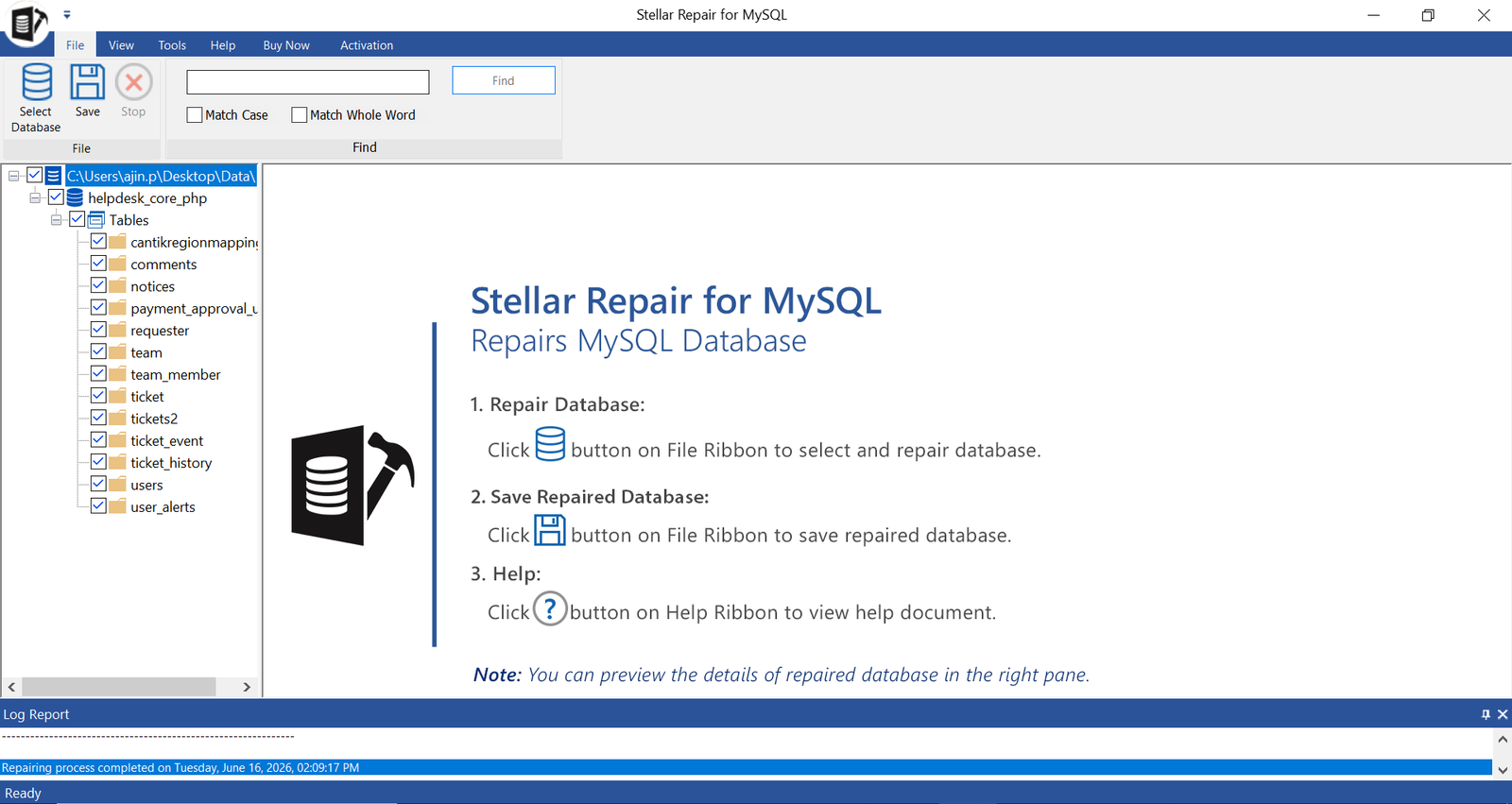
Stellar Repair for MySQL is built specifically to recover corrupt MySQL and MariaDB databases without needing a working backup. It repairs both InnoDB and MyISAM tables and restores the full set of database objects, not just raw rows, including primary keys, views, triggers, indexes, and partitioned tables.
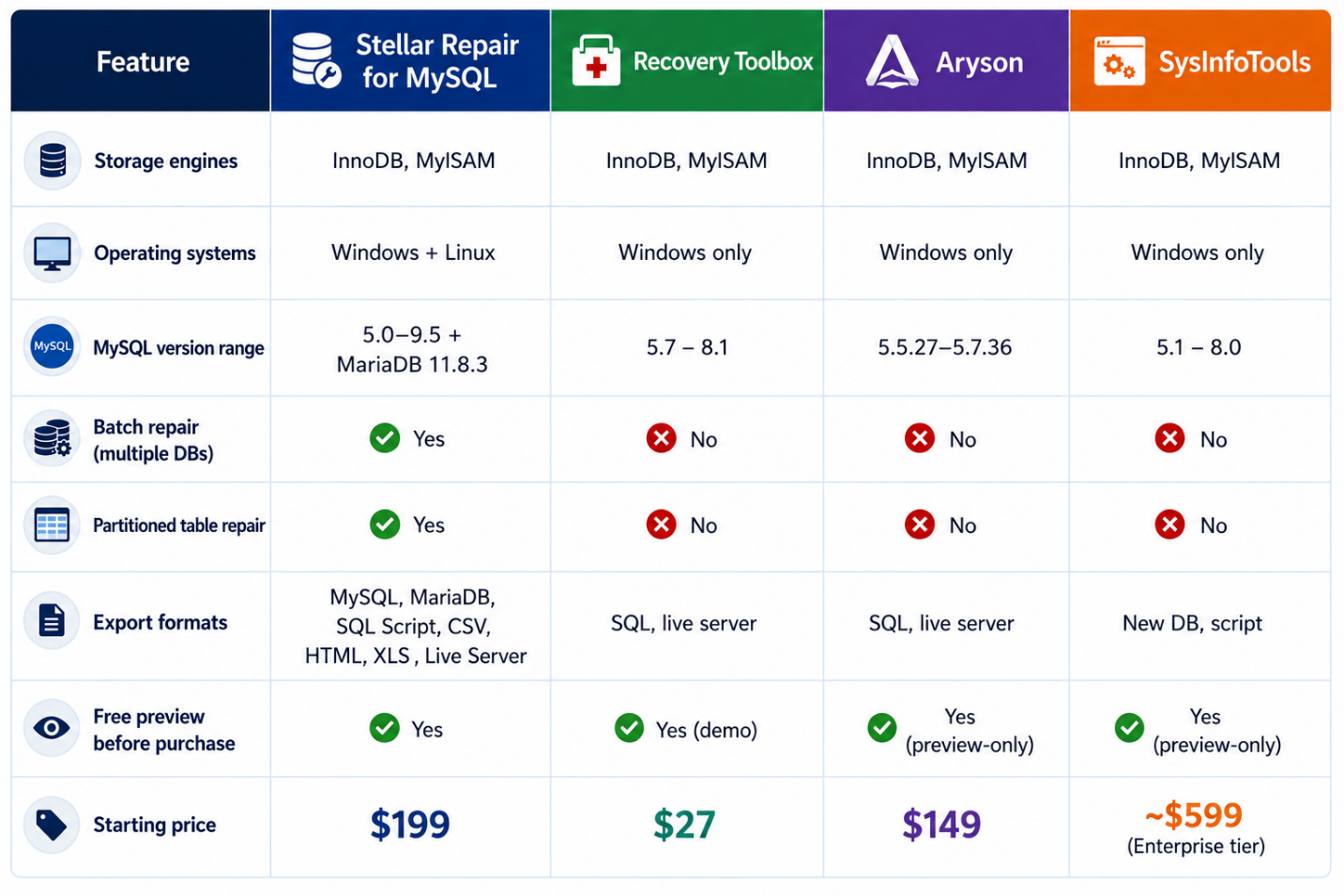
Storage engines: InnoDB and MyISAM
Operating systems: Windows and Linux
Version support: MySQL 5.0 through 5.7.44, 8.0.40 through 8.0.44, and 9.4.0 through 9.5.0; MariaDB up to 11.8.3
Batch repair: Yes, multiple databases in a single pass
Export formats: MySQL, MariaDB, SQL Script, CSV, HTML, XLS
Free trial: Yes, with full preview of recoverable tables, keys, and triggers before you pay
Pricing: $199 (Technician license); $499 for the Toolkit edition, which adds MySQL log analysis and cross-database conversion
What sets it apart from the other four tools on this list is the combination of breadth and depth. It’s the only tool here that repairs partitioned tables (range, linear, and list partitioning) as a named feature, the only one with native batch repair for multiple corrupted databases at once, and the one with the widest export format list useful if you need to hand recovered data to someone without a MySQL environment installed. It also covers a noticeably wider MySQL/MariaDB version range than the competitors covered below, which matters more than it sounds like if you’re running anything released in the last two to three years.
The trade-off is that it’s a paid tool with no free repair tier you can preview everything for free, but saving requires a license. For a one-time $199 cost against the alternative of redoing lost data or paying a recovery service by the hour, most DBAs find that an easy trade.

2. Recovery Toolbox for MySQL
Best budget option for personal projects
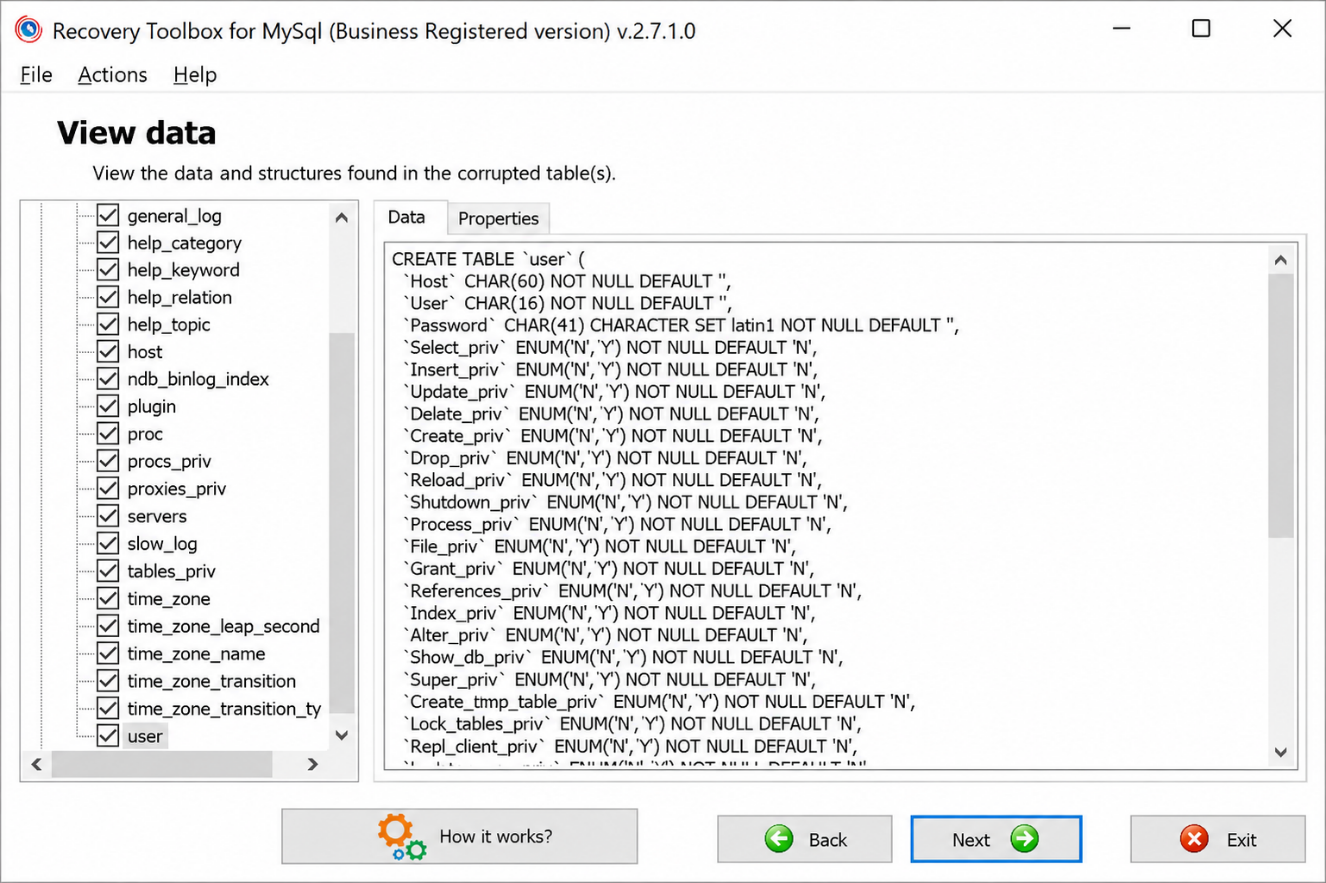
Recovery Toolbox for MySQL takes a simpler, wizard-driven approach. You point it at a folder, pick a database from a dropdown, choose an export format, and run the recovery. It’s built for people who want the shortest possible path from “broken database” to “readable data,” without much configuration in between.
Storage engines: InnoDB and MyISAM
Operating systems: Windows only (98 through Server 2016)
Version support: Not specified by version number on the vendor’s site
Batch repair: Not offered
Export formats: SQL script, or direct export into a MySQL server
Free trial: Yes, try-before-you-buy demo
Pricing: $27 for a Personal license, $45 for Business, $60 for a Site license
This is the most affordable tool on the list by a wide margin, and the wizard interface is genuinely beginner-friendly there’s a reason its own customer reviews mention recovering WordPress databases after hardware failures with no prior database experience. The limitations are what you’d expect at this price: no Linux support, no batch processing for multiple databases, and a narrower set of export options. For a single small to mid-sized database and a tight budget, it’s a reasonable pick. For production environments managing multiple databases regularly, the lack of batch repair becomes a real time cost.

3. Aryson MySQL Database Repair Tool
Best for straightforward InnoDB/MyISAM recovery on a single license
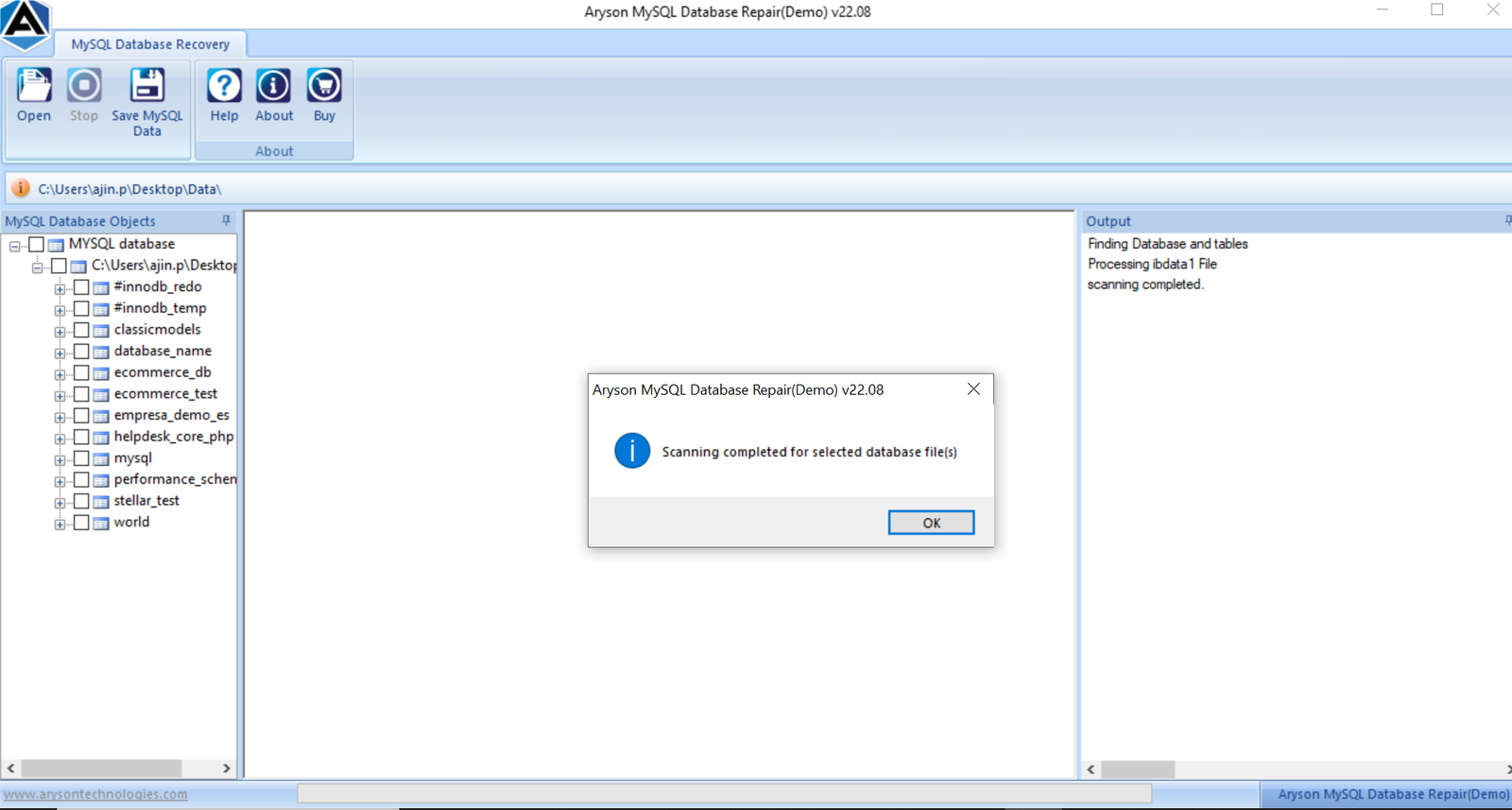
Aryson’s MySQL Database Repair Tool covers the core repair workflow scan, preview, save with a clean GUI aimed at both technical and non-technical users. It restores tables, keys, data types, triggers, and views, and supports exporting either to a new SQL script or directly into a live MySQL server.
Storage engines: InnoDB and MyISAM
Operating systems: Windows only
Version support: MySQL 5.5.27 to 5.7.36, per the vendor’s official specification table (marketing copy elsewhere on the page references a broader 5.5–8.4 range, so it’s worth confirming compatibility with your exact version before buying)
Batch repair: Not offered
Export formats: SQL script, live MySQL server
Free trial: Yes, preview-only
Pricing: $149 (Premium)
Aryson’s tool is solidly built for what it does, and the recovery log with pause/resume support is a nice touch for larger files. The version range is the thing to watch here the official spec sheet tops out at MySQL 5.7.36, which means anyone running MySQL 8.x should double-check compatibility directly with the vendor before purchasing, since the page’s marketing language and its own specification table don’t fully agree.

4. SysInfoTools MySQL Database Recovery
An older entrant with a broad compatibility claim
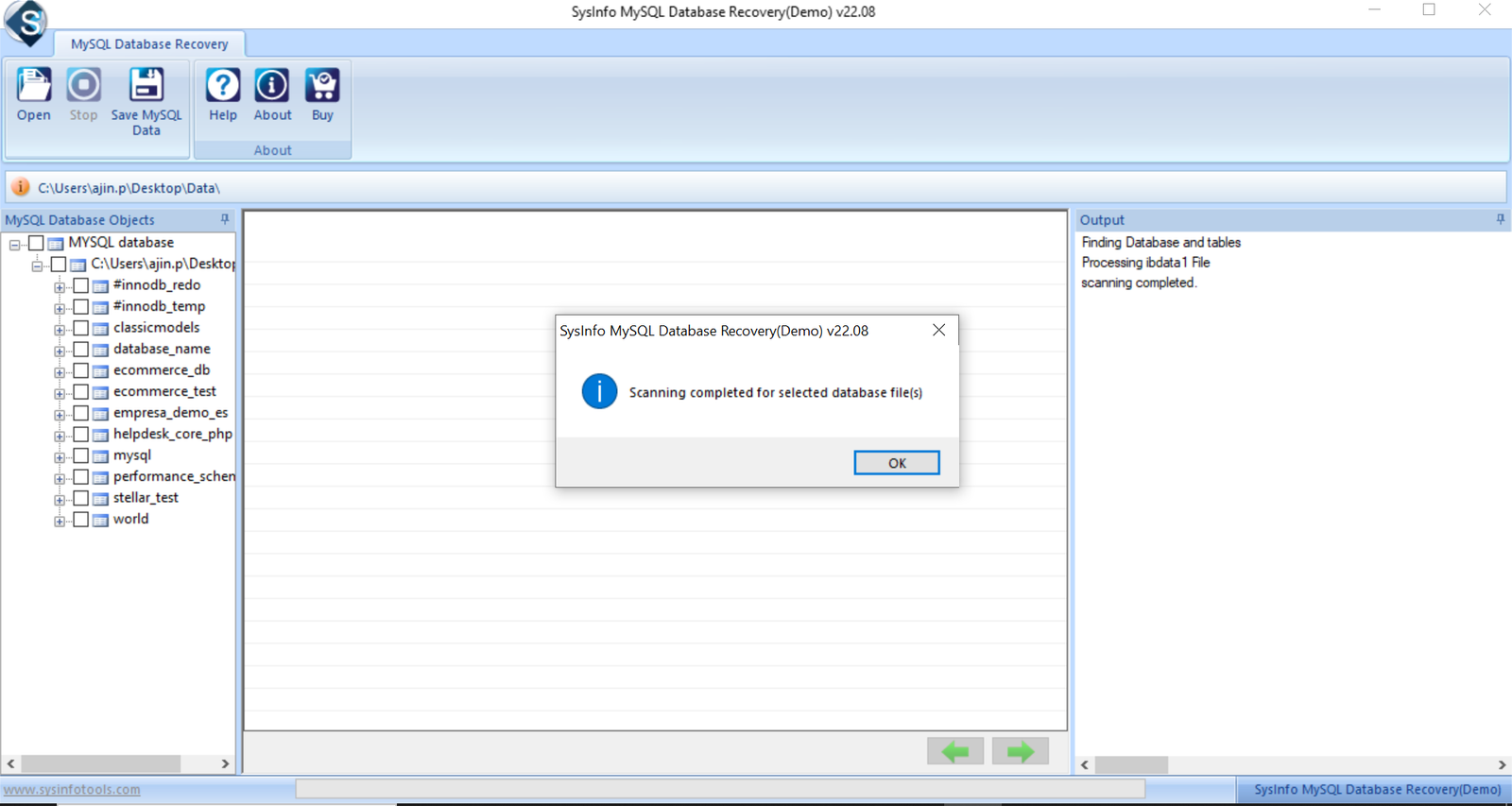
SysInfoTools MySQL Database Recovery has been around for a while in the database recovery space, and the tool itself follows a familiar formula: scan a damaged file, preview recoverable objects in a tree view, then save to a new database or script.
Storage engines: InnoDB and MyISAM
Operating systems: Windows only
Version support: Vendor materials describe support for “all major versions” of MySQL, with some product listings referencing older 3.x–6.x coverage current version-by-version specifics aren’t clearly published
Batch repair: Not advertised as a feature
Export formats: New database or SQL script
Free trial: Yes, preview-only
Pricing: Tiered licensing, with an Enterprise license listed around $599 on third-party software directories
The core recovery mechanics are comparable to the other tools here InnoDB and MyISAM support, tree-view preview, script export. Where it falls behind is transparency: pricing and exact version compatibility aren’t as clearly laid out as on the other vendors’ sites, so expect to do a bit more digging (or contact support directly) before committing to a purchase.

5. Cigati MySQL Database Repair Tool
Best for live-server restoration workflows
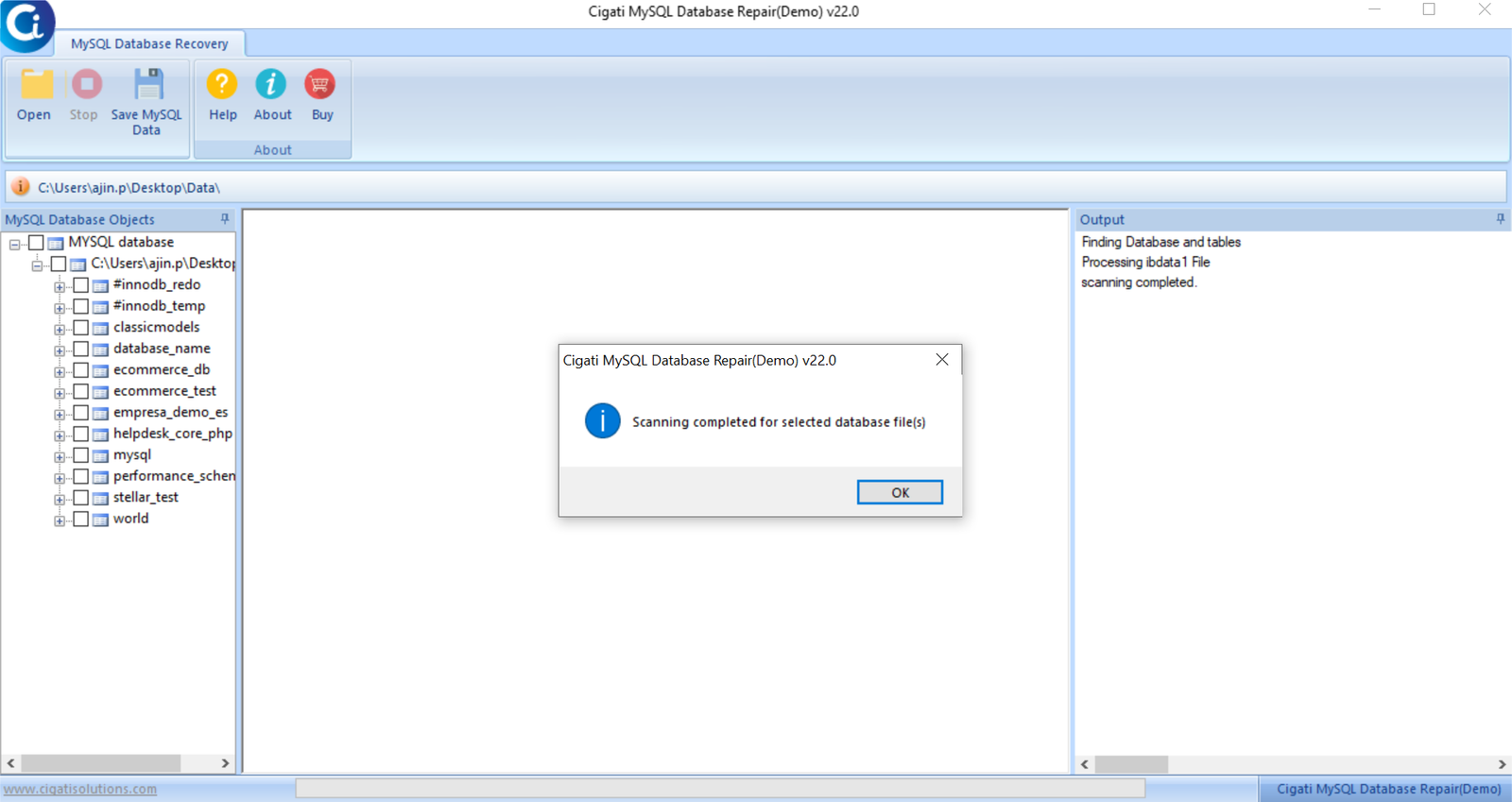
Cigati’s MySQL Database Repair Tool positions itself around “deep-layer reconstruction” of corrupted .frm, .myd, .myi, .ibdata, and .idb files, with a particular emphasis on streaming recovered data straight back into a live MySQL server without a manual import step.
Storage engines: InnoDB and MyISAM
Operating systems: Windows only
Version support: MySQL 5.5 through 8.4, and MariaDB
Batch repair: Not offered
Export formats: SQL script, live MySQL server
Free trial: Yes, preview-only
Pricing: Not listed publicly — requires checking the vendor’s purchase page for current pricing
If your priority is getting a repaired database back into a running MySQL instance with the fewest manual steps, Cigati’s live-server streaming is a genuine convenience. It covers a respectable MySQL 5.5–8.4 range, comparable to most tools on this list aside from Stellar’s broader 5.0–9.5 coverage. The narrower export format list (no CSV, HTML, or XLS) is the main thing to weigh if you need to share recovered data with people who don’t have MySQL access.

Which MySQL Repair Tool Should You Actually Use?
The honest answer depends on what you’re recovering and how often you expect to need this kind of tool.
If you’re managing MySQL or MariaDB in a production environment — multiple databases, recent server versions, and a need to hand off recovered data in formats other people on your team can actually open — Stellar Repair for MySQL covers the widest range of real-world scenarios on this list, particularly with Linux compatibility and batch repair built in.
If you’re dealing with a single smaller database and budget is the deciding factor, Recovery Toolbox for MySQL’s $27 entry price is hard to beat for occasional, low-stakes recovery.
If your databases sit comfortably in the MySQL 5.5–7.x range and you don’t need batch processing, Aryson or Cigati both cover that ground reasonably well, with Cigati’s live-server streaming being the more convenient workflow of the two.
Whichever you choose, the same advice applies across all five: run the free preview first. Every MySQL repair tool on this list lets you scan and see what’s recoverable before you pay anything. If the preview shows your data intact, the purchase is justified. If it doesn’t, you’ve lost nothing by checking.
Frequently Asked Questions
What is the best MySQL repair tool for corrupted InnoDB tables?
All five tools listed here support InnoDB recovery. Stellar Repair for MySQL covers the broadest current version range (up through MySQL 9.5 and MariaDB 11.8.3), which matters most if you’re running a recently released MySQL version.
Can I repair a MySQL database without a backup?
Yes. All the tools in this comparison are built specifically for situations where a backup either doesn’t exist or has already failed to restore. They work directly on the physical database files rather than requiring a dump file.
Is there a free MySQL database repair tool?
Most MySQL repair tools, including all five covered here, offer free trial versions that let you scan and preview recoverable data. Saving or exporting that data typically requires purchasing a license.
Do MySQL repair tools work on Linux-created databases?
It depends on the tool. Stellar Repair for MySQL supports Linux directly. The other four tools in this comparison are Windows-only, meaning Linux-created database files need to be copied to a Windows machine before repair.
How much does MySQL database repair software typically cost?
Pricing in this comparison ranged from $27 for a personal license up to roughly $599 for an enterprise tier, with most mid-range tools falling between $149 and $199 for a single-system license.
All product details, version support, and pricing referenced in this comparison were sourced directly from each vendor’s official product and specification pages. Pricing and version compatibility are subject to change check the vendor’s site directly for current details before purchasing