
Introduction
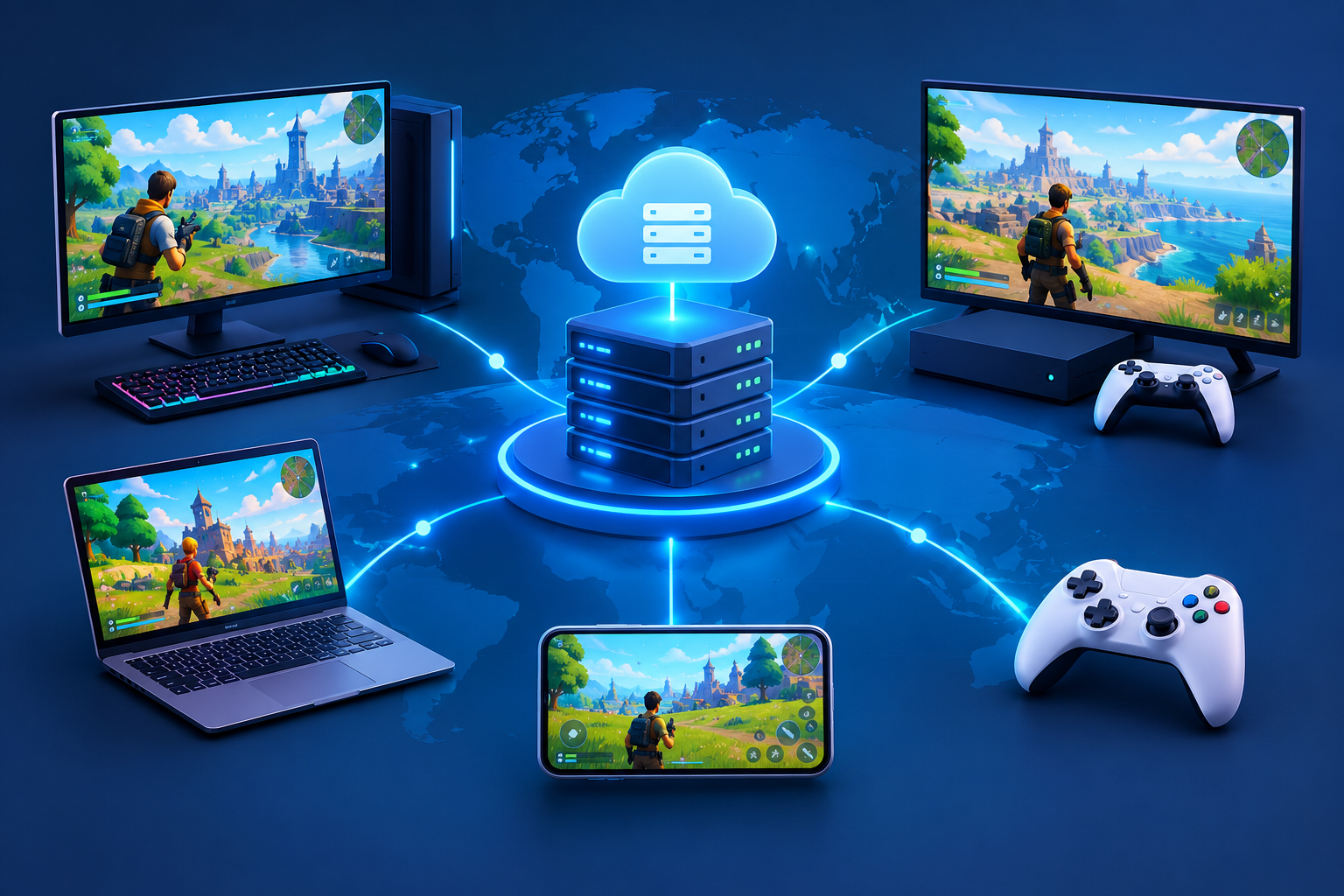
Multiplayer games become more complex when players use different devices, operating systems, and network connections. Cross-platform multiplayer networking enables developers to connect players across supported platforms, including PC, consoles, and web browsers. However, delivering a consistent multiplayer experience requires more than building the same game for multiple devices.
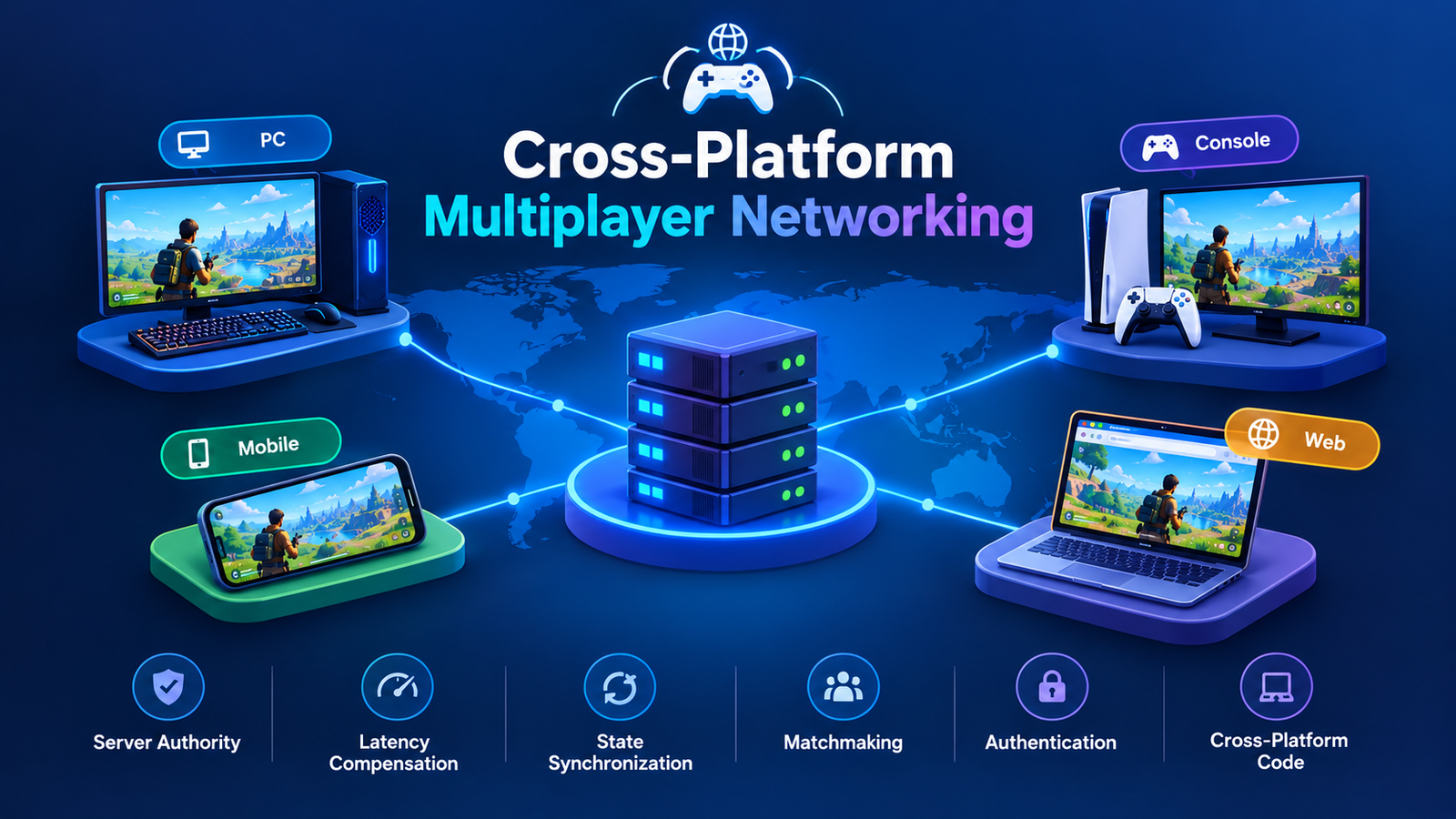
Indie developers must consider server authority, latency compensation, state synchronization, matchmaking, authentication, and platform-specific requirements. These systems need to work together without creating unnecessary development and maintenance costs.
A well-designed architecture separates shared gameplay logic from platform-specific functionality. It also establishes a reliable source of truth for important game events, allowing different clients to participate in the same session.
This guide explains how indie developers can design cross-platform multiplayer networking, choose suitable game engines and frameworks, manage network latency, and build a scalable multiplayer experience.
What Is Cross-Platform Multiplayer Networking?
Cross-platform multiplayer networking allows players using different supported platforms to connect to shared game sessions and exchange gameplay information. For example, a player using a Windows PC might compete against someone playing on a supported console or through a web browser.
The architecture must accommodate differences in hardware, input methods, performance, and platform services while maintaining consistent gameplay rules.
A typical cross-platform multiplayer networking system includes several components:
- Game clients: Applications running on PC, consoles, or browsers.
- Networking layer: Manages connections, message delivery, and data serialization.
- Authoritative server: Validates player actions and maintains the official game state.
- Session management: Handles session creation, joining, leaving, and reconnection.
- Matchmaking: Connects compatible players based on region, skill, or other criteria.
- Platform integration: Supports authentication, permissions, and platform-specific requirements.
Each component should have a clearly defined responsibility. For example, matchmaking finds a suitable session, while the game server processes gameplay actions and updates the state.

Why Do Indie Games Need Shared Networking Architecture?
Without a shared architecture, developers may end up maintaining separate gameplay rules for each platform. This increases development time and creates opportunities for inconsistent behavior.
A shared networking design allows developers to reuse gameplay logic, network message definitions, session interfaces, and automated tests.
However, shared code does not mean every platform must use identical APIs. Console authentication, browser transport restrictions, and platform-specific services may require separate implementations behind common interfaces.
Indie developers can also benefit from studying the broader industry. Eduonix’s guide to the rise of indie game developers explores the opportunities and practical challenges facing independent creators.
For a small team, the goal is to build a networking foundation that supports multiple platforms without requiring separate versions of the entire multiplayer system.
Choose the Right Multiplayer Server Architecture
The server model is one of the most important decisions in cross-platform multiplayer networking. It influences fairness, security, latency, hosting expenses, and deployment complexity.
Authoritative Servers Versus Peer-to-Peer Networking
In an authoritative server architecture, the server controls important gameplay decisions. Clients send inputs or requests, and the server validates them before updating the official game state.
For example, a client might request to move a character, activate an ability, or collect an item. The server checks whether the action is valid before communicating the result to other players.
This approach reduces opportunities for cheating because clients cannot simply declare that they won a fight or acquired a valuable item.
Peer-to-peer networking allows players to communicate directly or rely on a host player to coordinate the session. It can reduce dedicated hosting requirements, but it introduces challenges involving host advantage, connectivity, and disconnections.
| Architecture | Advantages | Limitations |
| Dedicated authoritative server | Strong control over game state and competitive fairness | Hosting and maintenance costs |
| Listen server | Convenient for small cooperative games | Host advantage and host-disconnection risks |
| Peer-to-peer | Can reduce central server requirements | More difficult security and connectivity management |
For competitive games, persistent progression, or valuable inventories, an authoritative server is generally the safer starting point. Casual cooperative games may justify a simpler approach when the trade-offs are acceptable.
Dedicated Servers Versus Listen Servers
A dedicated server runs the multiplayer simulation without acting as a player’s game client. It can operate in a cloud environment or on infrastructure managed by the development team.
A listen server runs the session on a player’s machine while allowing other players to connect. This can work well for small cooperative games or early prototypes.
Cross-platform multiplayer networking should account for the limitations of each model. A listen server may be suitable for a few friends, but it becomes more problematic when competitive fairness, persistent worlds, or high availability are essential.
Before choosing an architecture, estimate expected concurrent players, session duration, geographic distribution, and the budget available for hosting.
Build Shared Networking Code Across Platforms
The most maintainable cross-platform multiplayer networking architecture separates shared gameplay logic from platform-specific implementation details.
A common mistake is placing networking calls, platform authentication, gameplay rules, and user-interface behavior inside the same scripts. This makes testing difficult and increases the effort required to support new devices.
Separate Gameplay Logic From Platform-Specific Code
Consider a game in which a player activates an ability. The gameplay system should define the ability’s rules, cooldown, and effect. The networking layer communicates the request, while the server decides whether the action is valid.
Platform-specific code should handle details such as keyboard input, controller mappings, browser APIs, and console services without changing the underlying gameplay rules.
A simplified request might look like this:
{

  "type": "activate_ability",

  "playerId": "player_42",

  "abilityId": "dash",

  "sequence": 105

}
This JSON represents a conceptual message format, not a complete networking implementation. The client submits the request, and the server independently checks the player’s identity, ability availability, cooldown, and other game rules before accepting it.
The same gameplay command can originate from a keyboard, controller, or touchscreen. The server processes it using the same validation rules regardless of the client’s platform.
Choose a Compatible Networking Framework
A framework can reduce the amount of low-level networking code a small team needs to maintain. Before selecting one, evaluate its transport support, deployment model, platform compatibility, pricing, and licensing.
A suitable framework should support:
- Reliable delivery for important gameplay events.
- Efficient updates for frequently changing state.
- Message serialization and validation.
- Connection lifecycle management.
- Required client and server platforms.
- Profiling, debugging, and network simulation.
Cross-platform multiplayer networking also benefits from versioned message formats. If an update changes a message structure, incompatible clients should receive a clear error rather than producing unpredictable behavior.
Avoid tightly coupling the entire game to one transport implementation. A shared interface can make it easier to change providers or introduce additional transport options later.
Implement Latency Compensation and State Synchronization
Network latency is unavoidable. Even when a server is geographically close to a player, information takes time to travel between devices.
Cross-platform multiplayer networking must balance responsiveness with consistency. If a game waits for the server before displaying every movement, controls may feel sluggish. If every client independently decides what happened, players may see conflicting game states.
Client-Side Prediction and Server Reconciliation
Client-side prediction allows a client to respond immediately to local input instead of waiting for a server response. The client predicts the result, sends the input to the server, and compares its prediction with the authoritative result when it arrives.
If the server’s result differs, the client corrects its state. This process is called server reconciliation.
For example, when a player presses a movement key, the local character can begin moving immediately. The client sends the input to the server, which processes it and returns the authoritative state. The client adjusts its prediction if necessary.
Prediction works best when client and server use compatible movement rules. Differences in physics, collision handling, or simulation timing can produce repeated corrections.
Interpolation and Lag Compensation
Interpolation smooths remote-player movement by displaying transitions between received state updates. Instead of jumping immediately to every new position, the client renders movement using recent snapshots.
Lag compensation is particularly useful for games involving fast actions, such as shooting or close-range combat. Depending on the game design, the server may evaluate an action against a recent historical state to account for the attacker’s network delay.
These techniques involve trade-offs. Excessive interpolation delay can make remote players feel less responsive, while overly generous lag compensation can create unfair outcomes.
Useful optimization practices include:
- Send only the state each client needs.
- Use compact messages for frequent updates.
- Separate important reliable events from movement snapshots.
- Measure round-trip time, jitter, and packet loss.
- Test under simulated latency and unstable connections.
- Keep simulation and update rates consistent.
Cross-platform multiplayer networking must also account for differences in frame rates. A faster client should not automatically gain an advantage simply because it renders more frames per second.
Compare Unity, Unreal Engine, and Godot Networking
Different game engines provide different tools for building multiplayer systems. The right choice depends on the team’s experience, target platforms, game genre, and networking requirements.
Before choosing a networking framework, explore Eduonix’s Top 5 Game Development Engines Comparison to understand how popular game engines differ in their capabilities and development workflows.
Unity Multiplayer
Unity offers networking packages and services for synchronized gameplay, sessions, and connectivity.
Its multiplayer ecosystem includes Netcode for GameObjects and Netcode for Entities. These options serve different project architectures, so developers should review the current documentation and determine which fits their game.
For teams already familiar with C#, Unity Multiplayer can be a practical choice. However, developers must verify that their chosen packages and services support the intended console, PC, and browser deployment requirements.
Unreal Engine Networking
Unreal Engine provides a client-server architecture and a replication system for synchronizing networked game state.
Its replication capabilities can reduce the amount of synchronization code developers must implement manually. Unreal also supports dedicated-server workflows and networking diagnostics.
Unreal Engine Networking can be attractive for teams building visually demanding 3D games, particularly when they need established replication and server-side gameplay patterns.
However, engine replication does not automatically solve every multiplayer problem. Developers must still design rules for ownership, validation, bandwidth, and latency handling.
Godot Networking
Godot provides a high-level multiplayer API and lower-level networking options. Its architecture can suit indie developers who prefer an open-source engine and a relatively lightweight workflow.
For a closer comparison of engine capabilities and development trade-offs, read CodeCondo’s Godot vs Unity comparison.
Godot Networking can support different connection approaches, but developers must verify that their selected transports and deployment setup work across all intended platforms.
Mirror Networking and Photon Engine
Mirror Networking is a framework commonly used for Unity projects. It provides abstractions for networked objects, commands, and state synchronization.
Photon Engine offers multiplayer networking products and services designed for real-time game sessions. The appropriate product depends on the game’s hosting model, player requirements, and operational constraints.
Neither framework automatically guarantees cross-play across every PC, console, and web target. Platform policies, authentication, matchmaking, transport compatibility, and backend configuration still need attention.
The best framework is the one that meets the project’s requirements without introducing unnecessary operational complexity.
Design Cross-Platform Sessions and Security
A successful multiplayer architecture needs more than synchronized movement. It must connect players, maintain sessions, handle disconnections, and prevent invalid actions.
Create a Shared Session Lifecycle
A typical session follows this sequence:
- The player authenticates.
- The game requests or joins a session.
- Matchmaking selects a compatible match or server.
- The client establishes a connection.
- The server validates the player and initializes the session.
- Gameplay proceeds through authoritative state updates.
- The session ends, or the player reconnects where supported.
Keep this lifecycle separate from the gameplay simulation. A session service can manage joining and leaving without needing to understand how every character moves.
Handle Platform Identity Carefully
Players on different platforms may use different account providers and platform identifiers. A backend should map those identities to the game’s own account model where appropriate, while following platform authentication and privacy requirements.
Cross-platform multiplayer networking should not assume that a username alone proves a player’s identity. Secure session tokens and server-side validation help prevent unauthorized access.
Console cross-play may also involve platform-holder requirements, approval processes, or restrictions on online services. Confirm these requirements early rather than waiting until release.
Protect the Authoritative Game State
Clients should be treated as untrusted. Validate movement limits, ability cooldowns, inventory changes, match results, and other important state transitions on the server.
Use rate limits to prevent clients from flooding the server with requests. Validate message sizes and reject malformed data. Never expose privileged server credentials or functions in client builds.
Plan for disconnections as well. Players may lose connectivity, close a browser tab, suspend a console, or experience a temporary network failure. Decide whether the game allows reconnection, how long a session remains available, and what happens to a disconnected player’s character.
Test and Optimize Your Multiplayer Architecture
Testing only on a developer’s local network is insufficient. Real players use different internet connections, hardware configurations, and input devices.
Test Across Representative Platforms
Start with the platforms you intend to support, then test combinations of those clients in the same session. A PC-to-PC test will not reveal every issue that may occur between a browser and a console.
Check:
- Connection and disconnection behavior.
- Input consistency across devices.
- Player movement and state synchronization.
- Matchmaking and session joining.
- Reconnection after network interruptions.
- Version mismatches and failed authentication.
- Performance when several players act simultaneously.
Simulate Difficult Network Conditions
Use network simulation tools to introduce latency, packet loss, and jitter. Test both stable high-latency connections and intermittent interruptions.
Measure more than average ping. Track packet loss, server tick time, bandwidth per player, state-correction frequency, and session-joining time.
For browser-based games, developers must also consider client performance, asset loading, and browser compatibility. CodeCondo’s guide to WebGPU and WebAssembly explores technologies that can support demanding browser-based game workloads. These technologies address graphics and computation rather than replacing the need for a well-designed networking layer.
Control Infrastructure Costs
An indie studio should estimate server costs using realistic concurrency and session duration rather than total registered users alone.
Begin with a small deployment, monitor resource usage, and scale as actual demand becomes clearer. Consider regional hosting when latency is important, and avoid running expensive server instances when they are not needed.
Cross-platform multiplayer networking is easier to maintain when deployment, monitoring, and automated tests are part of the development process from the beginning.
Frequently Asked Questions
What Is Cross-Platform Multiplayer Networking?
Cross-platform multiplayer networking connects players on different supported devices to compatible game sessions. It requires shared networking protocols, consistent gameplay rules, and platform-specific integration where necessary.
Should Indie Multiplayer Games Use Authoritative Servers?
Authoritative servers are a strong choice for competitive gameplay, persistent progression, and systems where fairness or valuable player data matters. Smaller cooperative games may use simpler architectures when their risks and limitations are acceptable.
Can Unity, Unreal Engine, and Godot Support Cross-Play?
All three engines provide networking capabilities, but cross-play depends on the chosen framework, transport, backend, target platforms, and platform-holder requirements. Supporting multiplayer within one engine does not automatically mean every platform can join the same session.
What Is the Difference Between Mirror Networking and Photon Engine?
Mirror Networking is a framework commonly used with Unity to implement networked gameplay. Photon Engine provides networking products and services for multiplayer experiences. Their hosting models, capabilities, pricing, and platform compatibility differ, so teams should compare the specific products against their requirements.
How Can Indie Developers Reduce Multiplayer Latency?
Use geographically appropriate servers, efficient network messages, client-side prediction where suitable, interpolation for remote entities, and carefully designed lag compensation. Profile real network conditions and test under simulated packet loss and jitter before release.
Conclusion
Building a multiplayer game for PC, console, and web requires deliberate architectural choices. The most reliable approach separates shared gameplay logic from platform-specific code, establishes clear server authority, and treats latency, session management, and security as core design concerns.
Unity Multiplayer, Unreal Engine Networking, Godot Networking, Mirror Networking, and Photon Engine offer different starting points. The best option depends on the team’s skills, game genre, target platforms, and operational budget.
Start with a small playable prototype. Connect two different client types, verify that the server controls important game state, and test movement under simulated network delays. Then expand the system to matchmaking, reconnection, security, and production deployment.
A carefully planned cross-platform multiplayer networking architecture helps indie developers avoid expensive rewrites and deliver a more consistent experience across supported platforms. Shared code is valuable, but clear boundaries, realistic testing, and platform compatibility are what make cross-play dependable.