
Introduction
DevOps has become one of the most talked-about approaches in modern software development, and for good reason. DevOps brings development and operations teams together so that software can be planned, built, tested, and released faster, with fewer errors and far better collaboration. If you have ever wondered how large tech companies push out updates almost every day without breaking their applications, the answer usually comes down to DevOps.
In this article, we will break down what DevOps is, why it matters, the tools teams rely on, and how the DevOps lifecycle actually works in practice. Whether you are a fresher exploring tech careers or a manager evaluating new workflows, structured, hands-on training such as Eduonix’s DevOps and cloud engineering courses can give you a real head start before you touch a live pipeline.
DevOps combines the words “Development” and “Operations.” At its core, DevOps is a culture and a way of working, not just a set of tools. It encourages developers who write code and operations teams who manage infrastructure to collaborate throughout the entire software lifecycle, instead of working in separate silos. The DevOps model replaces the old approach of handing finished code over to a separate operations team, with a mindset of shared ownership, constant feedback, and heavy automation.
This philosophy relies on automation to reduce manual effort, cut down on human error, and speed up releases. Version control, automated testing, continuous integration, and continuous delivery form the backbone of almost every setup, regardless of the size of the organization.
For teams deploying AI and machine learning applications, DevOps and MLOps practices can help streamline deployment and production workflows.
Why DevOps Matters for Modern Businesses
Traditional software development often kept development and IT operations in separate departments, which led to miscommunication, slower releases, and finger-pointing whenever something broke in production. DevOps practices remove those walls by making both teams accountable for the same outcome: reliable software delivered on time.
Demand for faster software delivery keeps pushing organizations toward DevOps adoption. Industry research shows that the global DevOps tools market is projected to grow substantially over the next several years as companies look for ways to automate and streamline their software delivery pipelines.
For businesses, this shift translates into real, measurable benefits:
- Faster time-to-market for new features and fixes
- Fewer production failures thanks to automated testing
- Stronger collaboration between technical and business teams
- Lower operational costs from reduced manual intervention
Core Principles of DevOps
A handful of principles define how this approach works in practice, and understanding them matters more than memorizing any single tool:
- Collaboration and shared responsibility between development and operations
- Automation of repetitive, error-prone manual tasks
- Continuous integration and continuous delivery, commonly shortened to CI/CD
- Continuous monitoring and fast feedback loops
- Infrastructure as Code, so servers and environments are version-controlled just like application code
These principles work together to build a culture where teams can ship reliable software quickly, without sacrificing stability.
For a deeper look at how AI is changing modern DevOps workflows, explore this complete guide to DevOps with AI.
The DevOps Lifecycle Explained
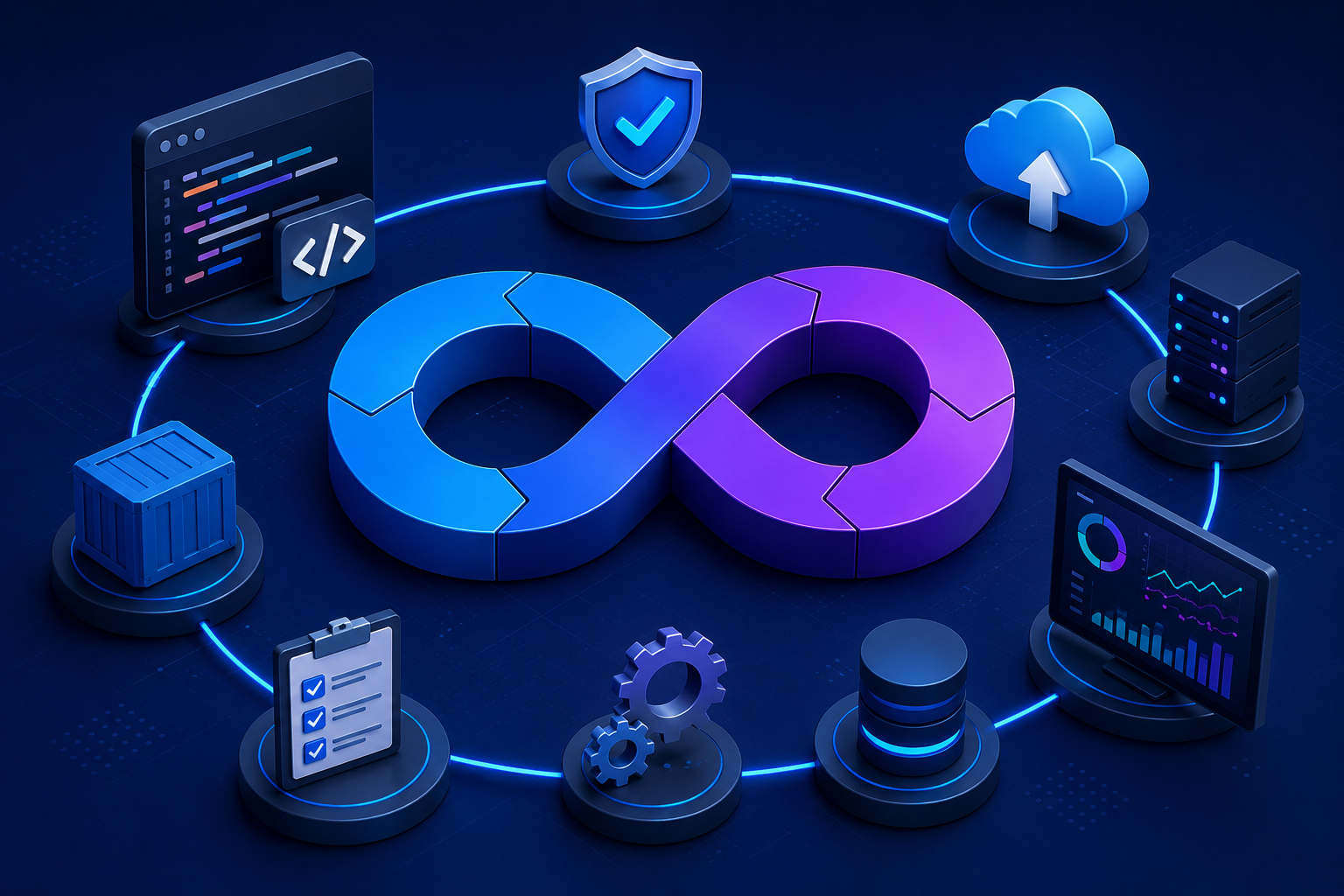
The DevOps lifecycle is usually pictured as a continuous loop rather than a straight line, because teams keep improving their software long after it first goes live. Here is how each stage typically works.
Plan
Teams define requirements, prioritize features, and map out what needs to be built. Project boards and backlog tools are commonly used at this stage to keep everyone aligned.
Code
Developers write the application code, typically using version control systems such as Git to track every change and make collaboration between multiple contributors manageable.
Build
The code is compiled and packaged into a deployable format. Build automation tools handle this step so that it happens the same way, every single time, removing guesswork.
Test
Automated tests check for bugs, security issues, and performance problems before code reaches real users. This is one of the areas where a mature engineering culture clearly outperforms slower, manual QA processes.
Release
Once a build passes testing, it is approved for release, often triggered automatically through a CI/CD pipeline rather than a manual sign-off.
Deploy
The application is pushed to staging or production environments. Deployment strategies such as blue-green or canary releases help reduce the risk of downtime during this step.
Operate
Operations teams manage servers, cloud resources, and infrastructure to keep applications running smoothly for end users around the clock.
Monitor
Monitoring tools track performance, errors, and user behavior, feeding insights back into the planning stage. This feedback loop is what makes the lifecycle genuinely continuous instead of a one-time project.
Popular DevOps Tools
DevOps depends heavily on its toolchain, and choosing the right combination from a crowded landscape can make a real difference to how smoothly a team works together. Many engineers who are new to DevOps find it useful to browse developer communities and skim a codecondo article on tool comparisons before committing to a stack for their team.
Version Control Tools
Git remains the standard for version control, with platforms like GitHub, GitLab, and Bitbucket layering collaboration, code review, and permissions on top of it.
CI/CD Tools
Jenkins, GitLab CI/CD, and CircleCI automate the build-test-deploy pipeline, moving code from a developer’s laptop to production with minimal manual steps in between.
Containerization and Orchestration
Docker packages applications into containers that run consistently across different environments, while Kubernetes manages and automatically scales those containers in production.
Monitoring Tools
Prometheus, Grafana, and the ELK stack help teams track system health, spot anomalies, and catch problems before users ever notice them.
Best Practices
- Automate wherever possible, from testing to deployment
- Keep infrastructure and configuration in version control
- Ship small, frequent releases instead of large, risky ones
- Build strong monitoring and alerting into every project from day one
- Encourage a blameless culture where failures become learning opportunities
Learning: Where to Start
For freshers and career switchers, DevOps offers one of the more accessible entry points into tech, since it blends scripting, cloud fundamentals, and collaboration skills rather than requiring years of prior coding experience. Structured courses that walk through real deployment scenarios, such as Eduonix’s DevOps and containerization training, are a practical way to get hands-on experience with tools like Docker, Git, and CI/CD pipelines before applying for your first DevOps-related role.
Why DevOps Matters for Modern Businesses
As businesses increasingly depend on digital products and cloud-based applications, the ability to deliver reliable software quickly has become a major competitive factor. Customers expect applications to be fast, secure, and available whenever they need them. Traditional software development approaches often involve lengthy development cycles, manual testing, and delays between development and deployment.
DevOps addresses these challenges by promoting continuous feedback, automated workflows, and shared responsibility. Development teams can release new features more frequently, while operations teams gain better visibility into application performance and infrastructure health. This approach helps organizations adapt to changing market demands while maintaining software quality and reliability.
Key Practices That Drive DevOps Success
Several practices form the foundation of an effective DevOps strategy. Continuous Integration (CI) allows developers to regularly merge code changes into a shared repository, where automated builds and tests help identify issues early. Continuous Delivery (CD) extends this process by preparing code for reliable and repeatable releases.
Infrastructure as Code (IaC) enables teams to manage and provision infrastructure through configuration files rather than relying entirely on manual processes. Containerization makes it easier to package applications and their dependencies, while monitoring and observability provide insights into system performance and potential problems.
Together, these practices help create a streamlined software delivery environment where teams can focus on innovation, improve operational efficiency, and deliver better experiences to end users.
The Role of DevOps Tools
DevOps tools play a crucial role in automating repetitive tasks and connecting different stages of the software development lifecycle. From source code management and automated testing to deployment and infrastructure monitoring, the right tools help teams build a more efficient and dependable workflow.
Popular DevOps tools include Git for version control, Jenkins for automation, Docker for containerization, Kubernetes for container orchestration, and Terraform for infrastructure provisioning. Cloud platforms such as AWS, Microsoft Azure, and Google Cloud also provide a wide range of services that support modern DevOps practices.
However, successful DevOps implementation is not simply about using as many tools as possible. The real value comes from selecting tools that align with business goals, technical requirements, and team workflows. When implemented thoughtfully, DevOps tools can improve collaboration, reduce operational overhead, and support faster software delivery.
Conclusion
DevOps is no longer just a buzzword; it is a practical approach that most modern engineering teams rely on to build, test, and ship software faster and more reliably. By combining the right culture, the right practices, and the right tools across every stage of the DevOps lifecycle, teams can reduce downtime, improve collaboration, and respond to user needs far quicker than they could with traditional workflows.
Read more about sustainable DevOps practices and how they can help build a greener cloud infrastructure.