
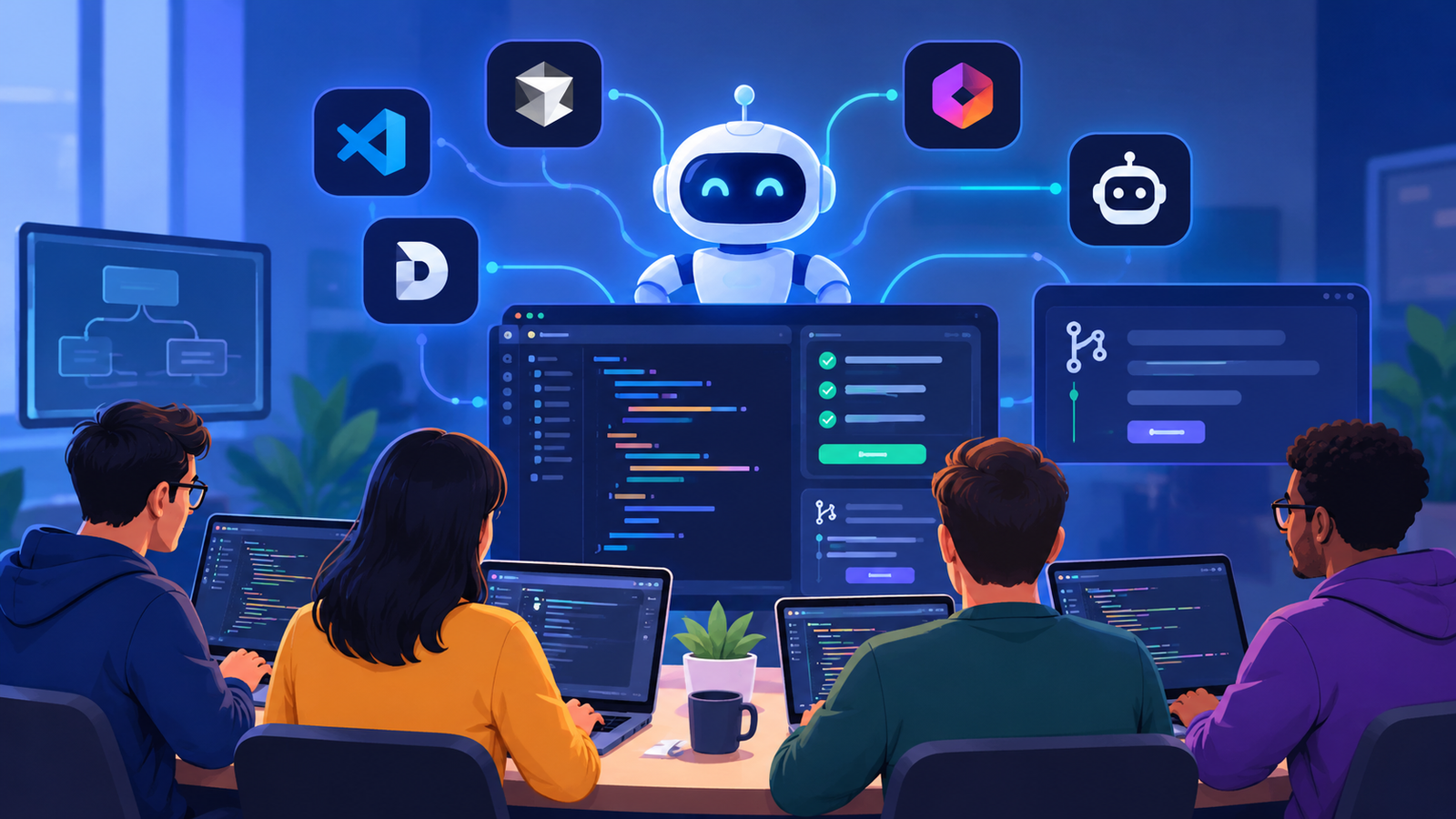
Introduction
Agentic coding tools for teams have moved far beyond simple autocomplete. In 2026, engineering groups no longer ask whether AI can write a function. They ask how far an agent can plan, edit multiple files, run tests, and open a pull request while the team stays in control. This shift from GitHub Copilot-style assistance to full agentic workflows changes how work is assigned, reviewed, and shipped.
Teams that treat these tools as drop-in replacements for junior developers usually struggle. Teams that treat them as powerful collaborators with clear boundaries and review gates see real velocity gains. The tools that actually work share three traits: deep codebase context, transparent action loops, and enterprise-grade controls for shared repositories.
This guide examines the practical path from everyday Copilot use to production-ready agentic coding tools for teams. We cover Cursor, Devin Desktop (formerly Windsurf), Replit Agent, Cline, and the workflows that keep humans firmly in the loop.
What Are Agentic Coding Tools for Teams?
Agentic coding tools for teams go beyond suggesting the next line of code. An agent receives a high-level goal, breaks it into steps, reads relevant files, proposes changes, executes commands, observes results, and iterates until the goal is met or it needs human input.
Traditional tools complete tokens. Agentic systems plan, act, and verify. They can open pull requests, run test suites, and coordinate across multiple files. The difference matters most in shared codebases where one wrong autonomous edit can cascade.
From Autocomplete to Autonomous Agents
Early AI coding assistants focused on speed inside the editor. GitHub Copilot and similar tools reduced keystrokes and helped developers stay in flow. Agentic systems add a reasoning loop: observe the repository state, decide the next action, execute it, and evaluate the outcome.
In practice this looks like an agent that is given “add rate limiting to the public API and update the docs.” It locates the middleware, writes the limiter, updates tests, regenerates documentation, and opens a draft PR. The developer reviews the plan and the final diff rather than every intermediate keystroke.
This leap requires stronger context management, tool use (file system, shell, browser, package managers), and clear permission models so the agent never runs destructive commands without approval.
Why Teams Need True Agentic Workflows
Individual productivity is only part of the story. Teams need consistent style, shared knowledge, and auditability. Agentic coding tools for teams that succeed provide project-level rules, shared context stores, and integration with existing review processes.
Without these, agents become private assistants that produce divergent code. With them, agents become shared team members that follow the same conventions and leave a clear trail of decisions. The result is faster feature delivery without sacrificing the collective ownership that healthy codebases require.
Choosing the right agentic coding tools for teams starts with understanding how developers collaborate, manage shared repositories, and review AI-generated code. The best solution should fit your existing development process while helping engineers automate repetitive tasks, handle multi-file changes, and maintain consistent coding standards. Before adopting a tool, evaluate its codebase awareness, integration options, security controls, and ability to support human review throughout the development lifecycle.
GitHub Copilot – The Enterprise Baseline
GitHub Copilot remains the default starting point for many organizations because it lives inside the tools teams already use. It works across VS Code, JetBrains, Neovim, and more, and it ties directly into GitHub issues, pull requests, and Actions.
For teams standardized on the Microsoft and GitHub ecosystem, Copilot offers the lowest friction path to AI assistance. Its agent mode and Workspace features have grown more capable, yet it still leans toward assisted rather than fully autonomous execution.
Strengths for Large Teams
A copilot’s greatest strength is breadth and governance. Security teams can apply policy packs, IP indemnity is available on higher tiers, and usage can be monitored across hundreds of developers. Inline completions remain excellent for day-to-day coding, and the ability to assign an issue to a coding agent that returns a pull request reduces context switching.
Pricing starts lower than most pure agentic IDEs, making it attractive for broad rollouts. Many organizations keep Copilot as the universal baseline while layering more specialized agentic tools on top for complex multi-file work.
Limits When You Need Full Agency
Copilot’s agent experiences are improving but still feel more constrained than dedicated agentic environments. Deep multi-file refactors, long-horizon planning, and transparent step-by-step execution are stronger in tools built from the ground up as agents. Teams that need maximum autonomy often run Copilot for everyday work and another agent for larger tickets.
Integration with non-GitHub systems can also feel secondary. For pure GitHub-centric shops the trade-off is acceptable; for mixed environments it becomes a limitation.
For organizations comparing agentic coding tools for teams, the main consideration is how much autonomy developers need without losing control over code quality. Some teams may benefit from an assistant that supports everyday coding, while others need agents that can investigate issues, modify multiple files, execute tests, and prepare pull requests. Evaluating these capabilities against real development tasks helps teams choose a solution that fits their workflow rather than paying for features they rarely use.
Cursor – The Standalone Agentic IDE Leader
Cursor is a VS Code fork redesigned around agentic workflows. Its Composer agent, codebase indexing, and multi-model support have made it the most popular dedicated agentic coding environment for professional developers and small-to-medium teams.
Instead of bolting an agent onto an existing editor, Cursor makes the agent a first-class citizen. Developers can chat with the entire codebase, request multi-file edits, and review changes in a clear diff view before accepting them.
Composer and Multi-File Editing
Composer is the heart of Cursor’s agentic capability. You describe a change at a high level; the agent plans the files it will touch, shows the proposed edits, and waits for approval. This gated approach keeps the human in control while still delivering substantial automation.
Background agents and cloud agents further extend the model, allowing longer-running tasks without blocking the local editor. Model choice is flexible—teams can switch between frontier models or bring their own keys depending on cost and data policies.
Team Adoption Tips
Successful Cursor rollouts usually begin with a small pilot group that documents project rules (.cursorrules or equivalent). These rules encode naming conventions, architecture constraints, and preferred libraries so every agent session stays consistent.
Shared chat history and usage analytics help leads understand where the tool adds value and where developers still need more guidance. Many teams keep Cursor for complex engineering work while retaining Copilot or native editor AI for lighter tasks.
When evaluating agentic coding tools for teams, consider how easily developers can share project instructions, enforce coding conventions, and review changes before merging them. Cursor can support collaborative development through codebase context and multi-file editing, but teams should establish clear rules for agent-generated changes. A small pilot project is a practical way to assess code quality, developer adoption, review effort, and the overall value of the tool before expanding its use across the organization.
Devin Desktop (Formerly Windsurf) – Cloud + Local Agent Command Center
In June 2026 Cognition rebranded Windsurf as Devin Desktop. The product is no longer just another AI IDE; it is the local surface of the broader Devin platform, complete with an Agent Command Center, Spaces for shared context, and support for the open Agent Client Protocol.
Devin Desktop combines a full VS Code-compatible editor with the ability to manage both local and cloud agents from a Kanban-style board. This dual nature makes it especially interesting for teams that want to mix interactive editing with longer autonomous runs.
Agent Command Center and Spaces
The Command Center is the new default home. Agents appear as cards that move through states—planning, running, blocked, ready for review. Spaces group related files, sessions, and pull requests so context persists across multiple agents and human reviewers.
Because the editor supports ACP, teams can run third-party agents (Claude, Codex, and others) inside the same surface. This reduces tool-switching and gives leads a single place to monitor progress.
How It Differs from Pure IDEs
Cursor optimizes for fast, supervised iteration inside one repository. Devin Desktop optimizes for orchestrating a fleet of agents, some local and some cloud-based, that can open pull requests and await review. The trade-off is a slightly different mental model: you manage contributors more than you pair-program.
For teams already experimenting with autonomous ticket execution, the Command Center provides the visibility that pure chat-based agents often lack.
Replit Agent – Rapid Prototyping and Hosted Autonomy
Replit Agent lives inside the Replit cloud workspace. It can scaffold full-stack applications, iterate on them, and share a running environment with collaborators—all without local setup. This makes it attractive for prototypes, internal tools, and teams that include non-engineers.
Unlike desktop IDEs, Replit Agent runs in a hosted environment that already contains the runtime, package managers, and deployment path. The agent can therefore go further toward a working demo before a human intervenes.
When Replit Agent Shines for Teams
Teams use Replit Agent when speed of exploration matters more than deep integration with an existing large monorepo. Product managers and designers can describe a feature and receive a running prototype that engineers later harden and migrate.
The collaborative nature of the Replit workspace also lowers the barrier for pair sessions between technical and non-technical stakeholders.
Free Tier and Collaboration Notes
Replit offers a free tier that lets individuals and small teams experiment. Paid plans unlock more agent capacity and private projects. Because everything runs in the cloud, security and data-residency reviews are essential before using it on proprietary codebases. Many teams keep Replit for green-field experiments and move production work into Cursor, Devin Desktop, or Copilot once the design stabilizes.
Cline – Open-Source, Bring-Your-Own-Key Control
Cline is an open-source coding agent available as a VS Code extension, CLI, and desktop app. It is free; users supply their own API keys or local models. This model appeals strongly to teams that cannot or prefer not to send code to third-party hosted agents.
Cline’s agent loop is deliberately transparent. It reads files, proposes a plan, lists the changes it intends to make, and requires approval before editing or running commands. The result is high auditability at the cost of more frequent human interaction.
Transparency and Approval Gates
Every step is visible. Developers see exactly which files the agent examined and what commands it wants to run. This design reduces the risk of silent or surprising changes—an important property for regulated industries or highly critical systems.
Because the tool is open source, teams can inspect the code, extend it with custom tools via MCP, and even run multi-agent teams under a coordinator.
Ideal for Security-Conscious Teams
Organizations with strict data policies often start with Cline. They can point it at internal model endpoints or local open-weight models, keep all traffic inside their network, and still gain agentic productivity. The trade-off is operational overhead: someone must manage keys, rate limits, and model quality. For many security-first teams that overhead is preferable to sending source code to external services.
Security should remain a priority when implementing agentic coding tools for teams. Before connecting an agent to a repository, review its data-handling policies, model-provider requirements, permissions, and command-execution controls. Restrict access to sensitive files, use approval gates for risky operations, and require developers to inspect generated changes. These safeguards allow engineering teams to explore AI-assisted automation while reducing the possibility of exposing confidential information or introducing unwanted code changes.
| Tool | Best For | Agentic Capability | Main Advantage |
| GitHub Copilot | Enterprise teams | Issue-based coding and PR workflows | GitHub integration |
| Cursor | Complex development work | Multi-file edits and background agents | Deep codebase context |
| Devin Desktop | Multiple AI agents | Local and cloud agent orchestration | Centralized agent management |
| Replit Agent | Prototyping | App building and iteration | Fast cloud development |
| Cline | Security-focused teams | File, terminal and MCP workflows | Open-source control |


Proven Team Workflows with Agentic Coding Tools for Teams
Tools alone do not deliver results. The workflows that succeed treat agents as junior collaborators who need clear instructions, scoped tasks, and mandatory review.
A common pattern is the hybrid daily-plus-sprint model. Developers use lightweight assistance (Copilot or Cursor tab completion) for routine coding. Larger tickets—refactors, feature slices, test generation—are handed to a more autonomous agent with an explicit success criterion and a human review gate before merge.
Hybrid Daily + Agentic Sprint Pattern
Morning stand-ups can include a short list of agent-ready tickets. An engineer writes a precise prompt or issue description, launches the agent, and continues other work. When the agent returns a draft PR, the same engineer (or a designated reviewer) examines the plan, the diff, and the test results. Only then does the change enter the normal review queue.
This pattern preserves flow for the human while still capturing the productivity of longer agent runs. It also creates a natural feedback loop: prompts that produce clean PRs are reused; prompts that produce noisy or incorrect changes are refined.
Governance, Review, and Knowledge Sharing
Successful teams encode architecture decisions and coding standards into agent-readable rules files. They require agents to open draft PRs rather than push directly to main. They track which agent produced which change so quality issues can be traced.
Shared prompt libraries and post-mortems of failed agent runs become team assets. Over time the organization learns which classes of work agents handle well and which still need senior human attention.
For deeper background on building coordinated AI systems, see this practical guide to multi-agent systems and the overview of autonomous coding approaches
Effective governance is essential when agentic coding tools for teams become part of everyday software development. Establish permissions for file changes and terminal commands, require automated tests where appropriate, and send agent-generated work through the same pull request review process as human-written code. Teams should also document reusable prompts, maintain shared project instructions, and monitor usage costs. These practices help organizations benefit from automation while preserving accountability, security, and maintainable code.
Choosing and Rolling Out Agentic Coding Tools for Teams
No single tool wins every scenario. The right choice depends on existing editor habits, security posture, team size, and the balance between supervised and asynchronous work.
A simple decision matrix helps:
– GitHub-centric enterprise with strong compliance needs → start with Copilot, add specialized agents later.
– Developers willing to switch editors for maximum agent power → Cursor.
– Desire to orchestrate both local and cloud agents from one surface → Devin Desktop.
– Rapid prototypes and mixed technical/non-technical collaboration → Replit Agent.
– Maximum control and open-source preference → Cline.
To select the most suitable agentic coding tools for teams, compare each option against your team size, technology stack, budget, and security requirements. GitHub Copilot may suit organizations that prioritize GitHub integration, while Cursor supports agent-assisted editing across multiple files. Devin Desktop can help teams coordinate local and cloud-based agents, Replit Agent is useful for rapid prototyping, and Cline offers an open-source approach with configurable model access. Run a controlled pilot, measure the quality of completed tasks, and expand adoption based on the results.
Decision Matrix by Team Size and Stack
Small startups often standardize on Cursor or Cline because the cost and setup overhead are low. Mid-size product teams frequently run Cursor for engineering and Replit for exploration. Large enterprises usually keep Copilot as the baseline and pilot Devin Desktop or Claude-based agents for selected high-value workflows.
Stack also matters. Teams already deep in the JetBrains ecosystem may prefer plugins over a full IDE switch. Teams with heavy terminal workflows may lean toward CLI agents that can later be attached to Devin Desktop via ACP.
Common Pitfalls to Avoid
The most frequent failure is treating the agent as a black box that “just works.” Without clear success criteria, agents produce plausible but incorrect code. Without mandatory review, subtle regressions slip through. Without shared rules, different developers train the agent in incompatible directions.
Another pitfall is underestimating context windows and cost. Long agent runs consume tokens quickly. Teams that do not monitor usage can be surprised by bills or rate limits. Start with scoped tasks, measure the quality of the resulting PRs, and expand only after the feedback loop is healthy.
External resources such as the official Cursor documentation and the GitHub Copilot feature overview provide current pricing and capability details that change frequently.
Additional practical comparisons appear in Eduonix’s look at AI coding assistants in 2026 and CodeCondo’s exploration of AI pair programming shifts.
The long-term value of agentic coding tools for teams should be measured through practical results, not simply the number of tasks an agent completes. Track how often generated code passes tests, how much reviewer rework is required, whether delivery times improve, and how usage affects development costs. Comparing these measurements before and after adoption helps engineering leaders identify the tools and workflows that genuinely improve productivity. Regular reviews also make it easier to refine team instructions, adjust permissions, and expand automation responsibly.
Conclusion – Moving from Copilot to Real Team Agency
The journey from GitHub Copilot to full agentic coding tools for teams is less about replacing developers and more about changing how work is scoped, executed, and reviewed. The tools that deliver lasting value—Cursor, Devin Desktop, Replit Agent, Cline, and an evolving Copilot—succeed when they are embedded in clear processes rather than used as magic.
Start with a small set of well-defined tickets. Encode team standards so every agent session inherits them. Require human review of both plan and final diff. Measure the quality of the resulting pull requests and refine the prompts and rules accordingly.
Teams that follow this disciplined path gain measurable speed without losing the collective ownership and quality standards that distinguish healthy engineering organizations. Agentic coding tools for teams are no longer experimental. Used deliberately, they are becoming a practical part of how modern software is built.