
Table of Contents
- What Is Cross-Browser Testing?
- Why Is Cross-Browser Testing Important?
- How to Choose the Best Cross-Browser Testing Tool
- 1. Check Browser and Device Coverage
- 2. Look for Real Device Testing
- 3. Evaluate Automation Capabilities
- 4. Check Parallel Testing Support
- 5. Look for Visual Regression Testing
- 6. Consider CI/CD Integration
- 7. Evaluate Debugging and Reporting
- 8. Check Performance and Accessibility Testing
- 9. Consider Security and Privacy
- 10. Compare Pricing and Scalability
- Cross-Browser Testing Tools to Consider
- Cross-Browser Testing Tool Comparison
- Best Practices for Cross-Browser Testing
- FAQs
- Conclusion
What Is Cross-Browser Testing?
Cross-browser testing is the process of checking whether a website or web application works correctly across different browsers, browser versions, operating systems, screen sizes, and devices.
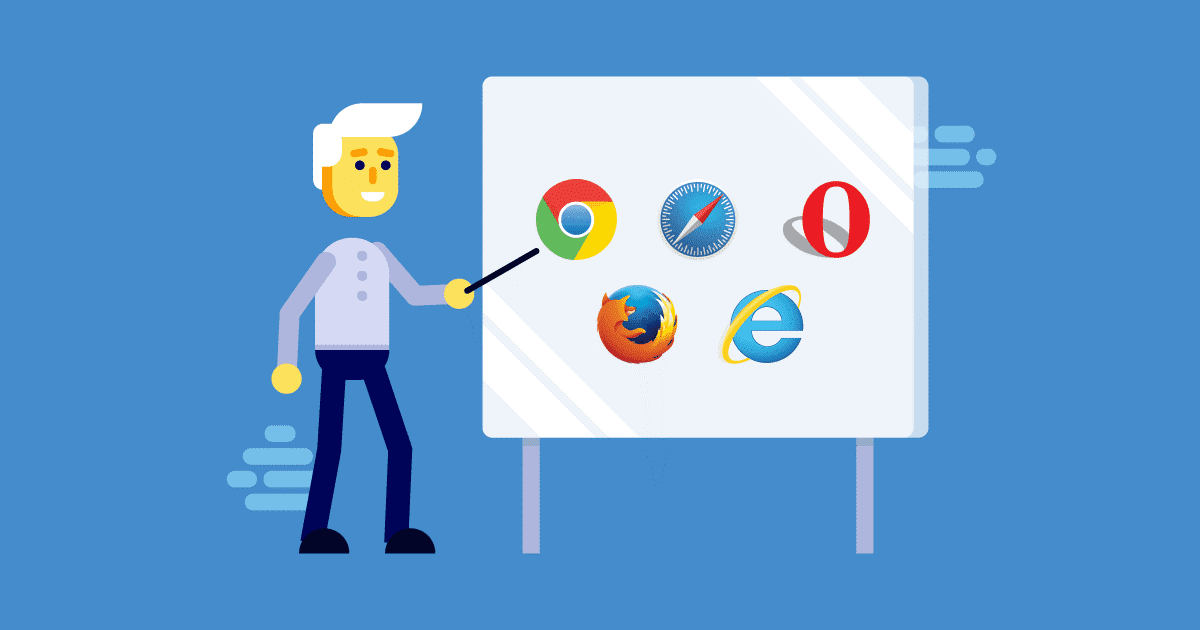
A website may behave differently in Chrome, Firefox, Safari, and Edge because browsers use different rendering engines and implement web platform features at different times. Mobile devices add another layer of complexity because screen dimensions, operating systems, touch interactions, hardware capabilities, and browser versions can vary significantly.
Modern cross-browser testing tools help developers and QA teams test these environments without maintaining a large physical device lab.
Cross-browser testing is no longer limited to manually opening a website in several browsers. Modern workflows combine automated browser testing, real-device testing, visual regression testing, parallel execution, accessibility checks, and CI/CD integration.
Why Is Cross-Browser Testing Important?
Browser compatibility remains an important part of delivering a reliable web experience.
The web platform continues to evolve rapidly. Google’s Web Platform Baseline, for example, tracks when browser features become interoperable across the core browser ecosystem, helping developers understand when newer web capabilities are broadly available.
At the same time, users access websites through a mixture of desktop and mobile browsers. A layout, form, animation, payment flow, authentication process, or JavaScript interaction that works correctly in one environment may still fail in another.
A modern testing strategy should therefore verify:
- Layout and responsive behavior
- JavaScript functionality
- Forms and user interactions
- Navigation and links
- Authentication and session flows
- Media playback
- File uploads and downloads
- Touch and mobile interactions
- Visual consistency
- Accessibility
- Performance-sensitive user journeys
The goal is not necessarily to test every browser-device combination. Instead, teams should prioritize the environments that matter most to their actual users.
How to Choose the Best Cross-Browser Testing Tool
There is no single best cross-browser testing tool for every project. The right choice depends on your application, technology stack, browser requirements, device audience, testing volume, team size, and budget.
Use the following criteria when comparing cross-browser testing tools.
1. Check Browser and Device Coverage
Browser coverage should be one of the first things you evaluate.
At minimum, consider the browsers and platforms your visitors actually use, such as:
- Google Chrome
- Safari
- Microsoft Edge
- Firefox
- Chrome on Android
- Safari on iPhone and iPad
- Other browsers relevant to your audience
Do not select a tool simply because it advertises a large browser list. Check whether it provides the specific browser versions, operating systems, screen sizes, and devices your project requires.
Also consider how frequently the platform adds new browser versions.
For automated testing, Playwright supports Chromium, Firefox, and WebKit and can also emulate selected mobile and tablet configurations.
2. Look for Real Device Testing
Browser emulators and device simulations are useful for many automated checks, but they do not completely replace testing on physical devices.
Real-device testing can expose issues involving:
- Touch interactions
- Mobile browser behavior
- Device-specific rendering
- Hardware capabilities
- Camera and microphone workflows
- Orientation changes
- File uploads
- Location-related functionality
- Mobile performance
Cloud testing platforms can provide access to physical devices without requiring your team to purchase and maintain a large device lab. For example, BrowserStack’s current platform provides real-device and browser testing across desktop and mobile environments.
For applications with a large mobile audience, real device testing should be an important selection criterion.
3. Evaluate Automation Capabilities
Manual testing is useful for exploratory testing and reproducing bugs, but repeating the same browser checks manually after every release quickly becomes inefficient.
Look for cross-browser testing automation that supports your existing development stack.
Popular approaches include:
- Playwright
- Selenium
- Cypress
- WebDriver-based frameworks
- Cloud browser automation platforms
Playwright can configure multiple browser projects and execute tests across Chromium, Firefox, WebKit, and selected device configurations.
Selenium remains useful for teams that need WebDriver-based automation and distributed browser execution. Selenium Grid is specifically designed to run tests across multiple machines, browsers, browser versions, and operating systems.
Cypress also supports Chrome-family browsers, Firefox, and experimental WebKit support, with CI strategies for distributing browser test workloads.
The best tool is usually the one that integrates naturally with your existing test framework and development workflow.
4. Check Parallel Testing Support
Parallel testing allows multiple browser and device tests to run at the same time instead of sequentially.
This can significantly reduce feedback time for larger test suites.
When evaluating a tool, check:
- Maximum concurrent sessions
- Browser-specific parallelization
- Device concurrency
- CI/CD concurrency
- Queue times
- Whether parallel execution costs extra
Selenium Grid, for example, is designed specifically for parallel execution across multiple machines and browser environments.
Cloud testing platforms can also provide simultaneous access to multiple real devices, depending on the plan and platform.
5. Look for Visual Regression Testing
Functional tests can confirm that a button works, but they may not detect every visual change.
Visual regression testing compares screenshots or rendered pages against an expected baseline to identify changes such as:
- Broken layouts
- Incorrect spacing
- Font changes
- Missing elements
- Responsive design problems
- Color changes
- Component shifts
This is especially useful for design-heavy websites, e-commerce stores, dashboards, and component-based applications.
If visual consistency is important to your project, choose a browser testing tool with screenshot comparison or integrate a dedicated visual testing platform into your workflow.
6. Consider CI/CD Integration
Modern browser testing should ideally run automatically as part of your development pipeline.
Look for integrations with platforms such as:
- GitHub Actions
- GitLab CI/CD
- Jenkins
- Azure DevOps
- CircleCI
- Other CI platforms used by your team
A practical workflow might run a smaller set of critical browser tests on every pull request and a broader browser-device matrix before production deployment.
Cypress documentation, for example, describes strategies where different browser groups can run separately in CI and be parallelized according to testing requirements.
This approach provides faster feedback without forcing every commit to run the entire test matrix.
7. Evaluate Debugging and Reporting
Finding a failed test is only the beginning. Your team also needs enough information to understand why it failed.
A good cross-browser testing tool should provide useful debugging information such as:
- Screenshots
- Video recordings
- Console logs
- Network information
- Test traces
- Error messages
- Browser and device details
- Test history
- Shareable reports
For remote testing, interactive developer tools can make reproducing browser-specific problems considerably easier. BrowserStack, for example, provides real-time debugging capabilities for its supported desktop and mobile environments.
8. Check Performance and Accessibility Testing
Cross-browser compatibility is not only about whether a page loads.
Your testing workflow should also consider:
- Core user journeys
- Page responsiveness
- Interaction performance
- Keyboard navigation
- Focus states
- Color contrast
- Form accessibility
- Screen-reader compatibility
WCAG 2.2 is a W3C Recommendation and provides accessibility requirements covering web content across desktop and mobile devices.
Accessibility testing should complement, rather than replace, browser compatibility testing.
9. Consider Security and Privacy
If you test staging environments, private applications, or applications containing sensitive information, security should be part of your tool evaluation.
Check whether the provider offers:
- Secure connections
- Access controls
- Data isolation
- Enterprise authentication
- Audit capabilities
- Private testing environments
- Appropriate data retention controls
Your security requirements should determine which cloud testing provider and plan are suitable for your organization.
10. Compare Pricing and Scalability
Price should not be the only factor.
Instead, calculate the overall cost of testing, including:
- Number of users
- Parallel sessions
- Browser coverage
- Real-device access
- Automation minutes
- CI/CD usage
- Storage
- Test history
- Team collaboration features
A low-cost solution may become expensive if your team needs extensive browser coverage or high concurrency.
Likewise, a feature-rich enterprise platform may be unnecessary for a small website.
Choose a solution that can scale with your testing requirements.
Cross-Browser Testing Tools to Consider
The modern cross-browser testing tools ecosystem can broadly be divided into several categories.
| Tool Category | Examples | Best Suited For |
| Browser automation | Playwright, Selenium, Cypress | Automated functional testing |
| Browser/device cloud | BrowserStack and similar platforms | Real-device and browser coverage |
| Self-hosted grids | Selenium Grid | Teams managing their own infrastructure |
| Visual testing | Visual regression platforms | UI and visual consistency |
| Manual browser testing | Cloud browser platforms | Exploratory testing and debugging |
These categories can also be combined. For example, a team may use Playwright for automated end-to-end testing and a real-device cloud for broader device coverage.
Cross-Browser Testing Tool Comparison
Before selecting a solution, use this checklist:
| Feature | Why It Matters |
| Browser coverage | Ensures important browser environments can be tested |
| Real devices | Finds device-specific issues |
| Automation | Reduces repetitive manual testing |
| Parallel execution | Shortens test execution time |
| CI/CD integration | Enables continuous quality checks |
| Visual testing | Detects unexpected UI changes |
| Debugging tools | Makes failures easier to investigate |
| Reporting | Helps teams share and track defects |
| Accessibility testing | Supports inclusive user experiences |
| Scalability | Allows testing requirements to grow |
| Security | Protects applications and test data |
| Pricing | Keeps testing within budget |
Best Practices for Cross-Browser Testing
Choosing a cross-browser testing tool is only one part of a successful testing strategy.
Follow these practices:
Test Based on Real User Data
Use analytics to identify the browsers, operating systems, devices, and screen sizes your visitors actually use.
Prioritize Critical User Journeys
Start with high-value workflows such as login, registration, checkout, search, navigation, payments, and forms.
Test Early
Do not wait until the final stage of development. Run automated browser tests during development and CI/CD.
Combine Automation With Manual Testing
Automation provides repeatability and scale, while manual exploratory testing can uncover unexpected usability and interaction problems.
Use Real Devices for Important Mobile Flows
Emulation is valuable, but critical mobile workflows should be validated on physical devices when practical.
Keep Browser Versions Current
Browser behavior changes continuously. Playwright, for example, updates its supported browser binaries alongside releases, while Cypress recommends maintaining supported versions of major browsers.
Avoid Testing Everything Everywhere
A huge browser matrix can become expensive and slow.
Instead, create a risk-based test matrix using:
User share + business importance + technical risk + browser differences
This gives teams meaningful coverage without wasting resources on combinations that have little relevance to their users.
FAQs
What is a cross-browser testing tool?
A cross-browser testing tool helps developers and QA teams verify that websites and web applications work correctly across different browsers, browser versions, operating systems, screen sizes, and devices.
Which browsers should I test my website on?
At minimum, consider the browsers used by your target audience, typically Chrome, Safari, Edge, and Firefox, along with relevant Android and iOS browser configurations. Use your website analytics to determine which environments deserve the highest testing priority.
Is real-device testing better than browser emulation?
Real-device testing can reveal hardware, touch, operating-system, and device-specific problems that emulation may not reproduce. Emulation remains useful for fast automated coverage, so many teams use both approaches.
Can cross-browser testing be automated?
Yes. Frameworks such as Playwright, Selenium, and Cypress support automated browser testing. Cloud platforms can extend automation to additional browsers and real devices.
How often should cross-browser testing be performed?
Critical automated tests can run on every pull request or build. Broader browser and real-device testing can run on scheduled builds, release candidates, or before major production deployments.
What is the difference between cross-browser and cross-platform testing?
Cross-browser testing focuses primarily on browser compatibility, while cross-platform testing considers the broader combination of browsers, operating systems, devices, screen sizes, and environments.
Conclusion
Choosing the best cross-browser testing tool requires looking beyond the number of browsers a platform claims to support.
The right solution should match your application’s real users and testing requirements. Evaluate browser and device coverage, real-device testing, automation, parallel execution, visual regression testing, CI/CD integration, debugging, accessibility, security, and scalability before making a decision.
For many teams, the most effective approach is not a single testing product but a combination of automated browser testing and targeted real-device testing. Frameworks such as Playwright, Selenium, and Cypress can provide automated coverage, while cloud testing platforms can extend testing to additional browser and device combinations.
Most importantly, build your testing matrix around your actual users instead of attempting to test every possible browser and device combination. A focused, continuously updated testing strategy can help identify compatibility problems earlier and deliver a more consistent web experience across today’s increasingly diverse browsing environments.