When you are watching Netflix on your PC or laptop with an unstable Internet connection, the online streaming experience will be significantly affected. Unfortunately, Netflix has removed the download function from its Windows App. Now, Windows users can only watch Netflix content online like Mac users. Although mobile users can download Netflix movies to watch offline, all downloads are only playable within the Netflix mobile app, and cannot be transferred to a PC or other devices.
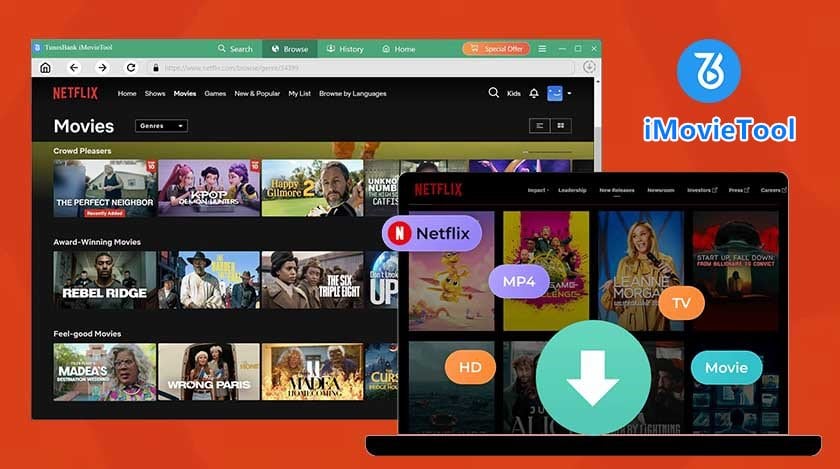
So, to watch Netflix movies offline on your computer, you’ll need a dedicated desktop software called iMovieTool Netflix Video Downloader. It can remove Netflix download limits and helps you to download Netflix movies on PC and Mac for permanent offline viewing. Here is an honest review of iMovieTool, including its hands-on test, features, pros, cons, usage, and pricing plans.
What Is iMovieTool Netflix Video Downloader?
iMovieTool Netflix Video Downloader is a desktop application, working smoothly on both Windows and Mac computers. It can download movies and TV shows from Netflix to computer folder and save Netflix videos as local MP4 and MKV format. This tool also offers options for video quality (up to 1080p), multilingual audio tracks, and subtitles, ensuring you can enjoy a premium viewing experience. With this software, users can save high-quality Netflix movies on local drive, and watch Netflix movies/shows offline on any media players or devices, such as iPhone, iPad, any Android smartphone, Android tablets, smart TV, car player, VLC player, WMP, and QuickTime Player, etc.

Before delving into iMovieTool’s key features and performance, let’s first look at why a third-party Netflix video downloader is needed.
# The Growing Need for Offline Video Access
A stable internet connection is not always available when traveling, commuting, or in remote areas. This creates a strong demand for watching Netflix videos offline on laptops or other portable devices without a Wi-Fi connection or consuming mobile data.
# The Challenge of Netflix’s Download Restrictions
Netflix downloads have several limitations, including device compatibility, title availability, geographical restrictions, and expiration. Some titles cannot be downloaded, and saved videos can only be watched in the Netflix app. Downloads may expire after 7 or 30 days, or 48 hours after playback begins.
# A More Flexible Approach to Offline Entertainment
A Netflix video downloader offers a convenient way to download Netflix content, allowing users to build their own personal offline library of favorite movies, TV shows, and documentaries to watch anytime, anywhere, without relying on the Netflix app.
Key Features of iMovieTool Netflix Video Downloader
Built-In Netflix Web Browser
iMovieTool includes a built-in Netflix web browser that allows users to sign in, search for movies, and browse available titles inside the application. This integrated design simplifies the workflow, ensuring a stabler performance and high success rate.
Download Netflix Videos to MP4 or MKV
This tool allows you to download all types of video resources on the Netflix platform and save them in widely used MP4 and MKV video formats, so that you can then transfer Netflix movies and shows to any device you like to play offline, without Netflix app installed or staying in your country.
Save HD Definition and Dolby Atmos Quality
To deliver an original video viewing experience offline, iMovieTool Netflix Video Downloader provides video downloads in resolutions up to 1080p, along with H.265 and H.264 codecs. In addition, you can choose from multilingual audio options, including Dolby 5.1 surround sound or audio description to export Netflix movies.
Batch Download Netflix Videos at Faster Speeds
iMovieTool uses advanced hardware acceleration technology to improve download efficiency, so you can save your favorite Netflix content in less time. It supports batch downloads, allowing you to download multiple movies or entire TV seasons at once. With speeds of up to 50X faster, a 2-hour movie takes only about 15 minutes to download for offline viewing.
Multilingual Audio and Subtitles Options
For international viewers, iMovieTool enables you to choose audio tracks and subtitles in different languages. Plus, it provides three subtitle options: Soft subtitles, External subtitles, and Hard subtitles. For animation lovers, you can download anime on Netflix with English dub or subtitles.
How to Download Netflix Movies on PC to MP4/MKV in 1080p with iMovieTool?
Step 1. Select the Netflix Platform and Log In
First, install iMovieTool All-in-One Video Downloader on your Windows PC, or Mac computer. Then open the program, select Netflix service to enter the Netflix video downloader.

Next, sign in with your Netflix account through its built-in browser to access the movie or show you want to watch.
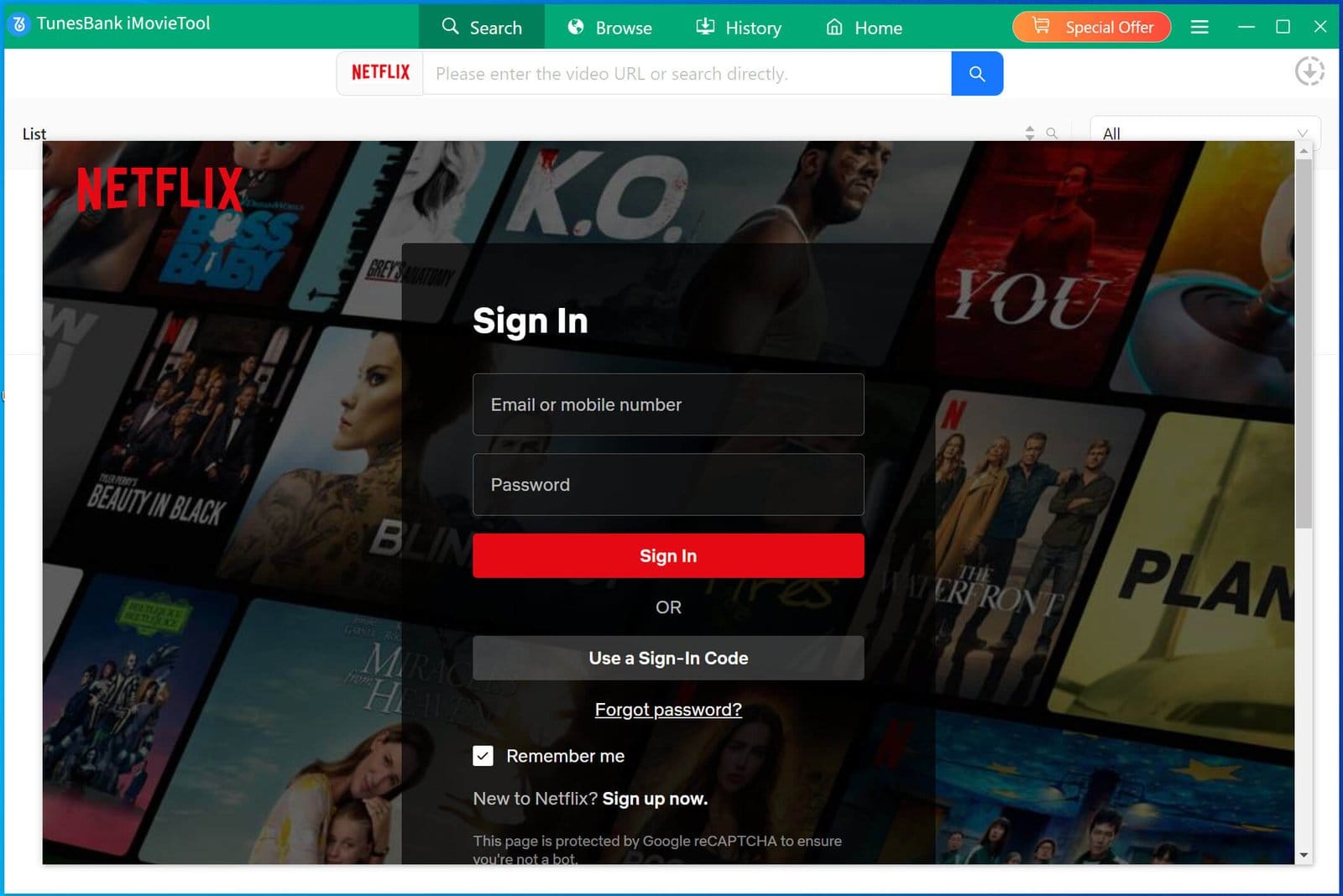
Step 2. Configure the Output Settings
Open the “Menu” bar at the upper right corner, and select “Preferences” option. You can choose a video format from MP4 or MKV, select the available video quality, set an output folder, and configure your preferred audio languages and subtitle options.

Step 3. Search for a Movie or TV Show
iMovieTool provides several ways to locate content you want to save.
Way 1: Search Video by Name/Title/Key Words
Tap “Search” tab, enter the movie title, TV show name, or a relevant keyword into the search box. Review the results and select the correct title to add it to your download list.

Way 2: Search Video by Copying & Paste Netflix URL
Copy the URL of a Netflix movie or TV show and paste it into iMovieTool’s search field to locate a specific title directly.

Way 3: Browse and Add Videos in Browse Mode
Tap “Browse” tab, you can directly explore Netflix’s available catalog within the web browser.

When you find a movie or show you like, open its details page and click the “+” button.

Step 4. Begin Downloading Netflix Movie to PC
Once everything is ready, click the “Download” button to add the video to the queue and begin downloading. During the process, you can continue add more Netflix movies for batch downloads.
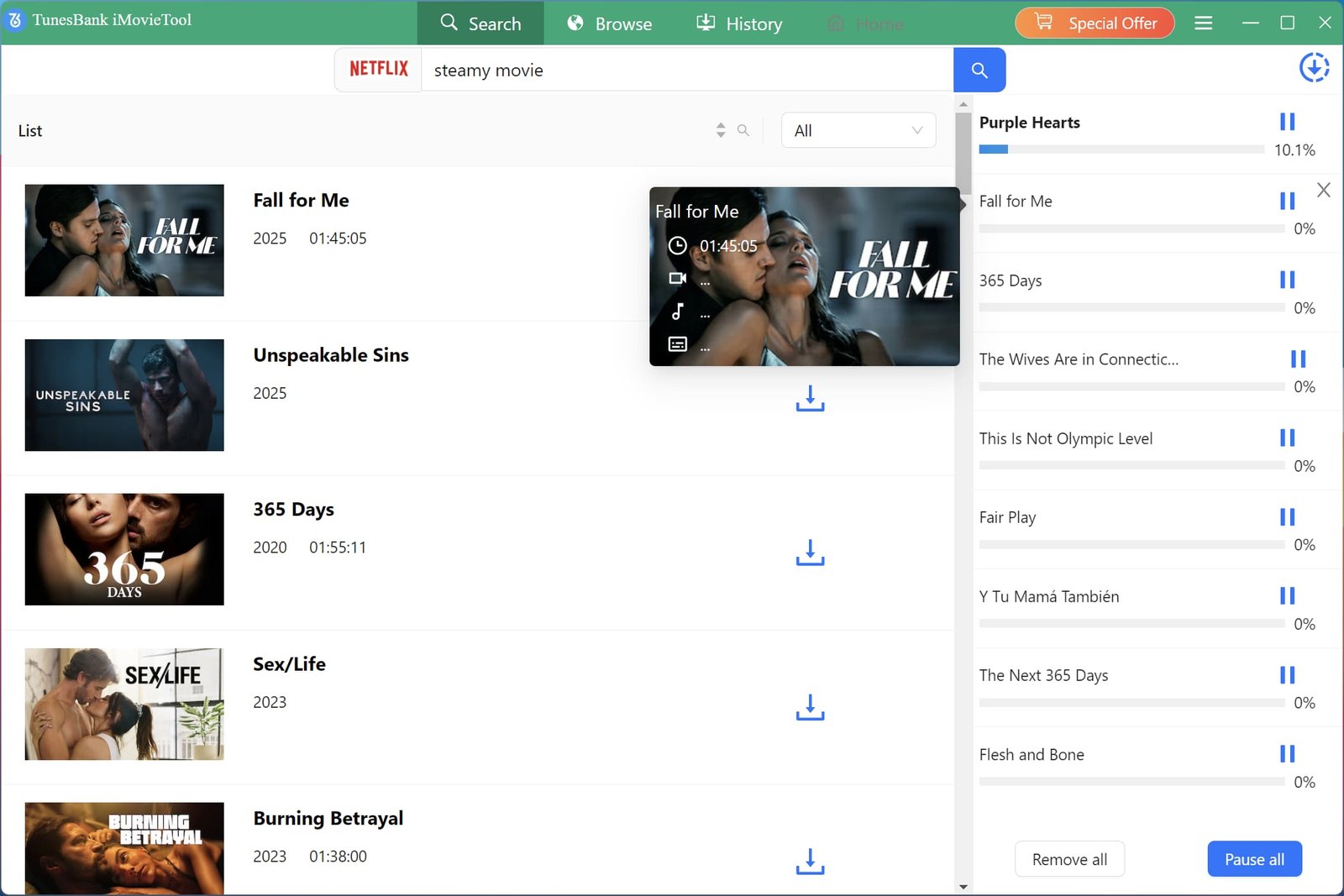 For downloading TV shows from Netflix to the computer, the software will pop an new windows for you to select which TV series that you want to download, you can select all to download in batch, or select the one that you need.

Step 5. Find Your Downloaded Movies
After processing finishes, open “History” tab and locate the output folder. You can get your downloaded Netflix movies and watch them offline.

How Much Is iMovieTool Netflix Video Downloader?
iMovieTool Netflix Video Downloader is a paid software, but it offers a 30-day free trial, so users can test its performance and workflow before purchasing a license. The free trial allows 6 minutes of each Netflix video free download. To unlock full functionality and enjoy unlimited downloads, you can purchase a license.

iMovieTool Netflix Video Downloader
You can choose from a 1-Month Plan ($29.95), 1-Year Plan ($59.95), or Single Lifetime Plan ($89.95). It lets you downloads videos from Netflix, TikTok, Twitter, Facebook, and Instagram.
iMovieTool All-In-One Video Downloader
For cross-platform users, the iMovieTool All-In-One Video Downloader is definitely more cost-saving. Simply pick a 1-Month Plan ($49.95), 1-Year Plan ($99.95), or Single Lifetime Plan ($149.95), and you can download videos from 12 platforms: Netflix, Amazon Prime, YouTube, Hulu, Max, Disney+, Apple TV+, Paramount+, TikTok, Twitter, Facebook, and Instagram.
Each license covers one PC or Mac and includes free updates, free technical support, and a 5-day or 30-day money-back guarantee. The subscription renews automatically, and you can cancel anytime.
Pros and Cons of iMovieTool Netflix Video Downloader
Pros:
- You can download all Netflix videos from various countries regardless of your account tier.
- It offers universal MP4 and MKV video formats for unlimited playback on media players and devices.
- It preserves 1080p resolution, audio description and 5.1 surround sound to deliver an immersive playback.
- It provides options for multiple audio tracks and three subtitle formats.
- The built-in web browser and intuitive interface let you browse your library easily.
- It helps users download multiple movies or episodes in bulk.
- The download speed is quite faster than official Netflix app and online Netflix downloader tools.
Cons:
- It requires a valid Netflix subscription account and login.
- iMovieTool is a desktop software, so users must download and install it on a PC or Mac client.
- The free trial only supports to download the first six minutes of each video.
Final Verdict
iMovieTool Netflix Video Downloader is a good fit for Netflix users who want a desktop tool for saving Netflix movies, TV shows and videos on PC or Mac for personal offline viewing. In our test, it’s easy to use, stable and fast with batch downloads, flexible with customize output settings. With iMovieTool, you can easily download Netflix movies on PC in 1080p and enjoy a smooth and hassle-free video playback on your own devices forever.