Introduction
Modern applications combine interactive interfaces, backend services, databases, APIs, and real-time features. Game developers face similar challenges when building browser-based games, multiplayer dashboards, level editors, analytics tools, and gaming platforms. Managing these components becomes easier when teams establish consistent development practices from the beginning.
TypeScript development offers a practical approach to this challenge. TypeScript extends JavaScript with a static type system that helps developers identify certain mistakes before their applications run. It works with familiar JavaScript libraries and frameworks while providing better code navigation, editor assistance, and maintainability as projects grow.
A TypeScript-first approach means using TypeScript as the default language for new application code rather than introducing it only after a project becomes difficult to maintain. This can be particularly useful when the same team builds frontend interfaces, backend APIs, internal tools, and browser-based gaming experiences.
For developers and businesses, the objective is not simply to write more structured code. It is to create software that can evolve without making every new feature harder to test, understand, and maintain.
This guide explains how TypeScript fits into full-stack web development, how it works with Understanding TypeScript and Full-Stack Development.
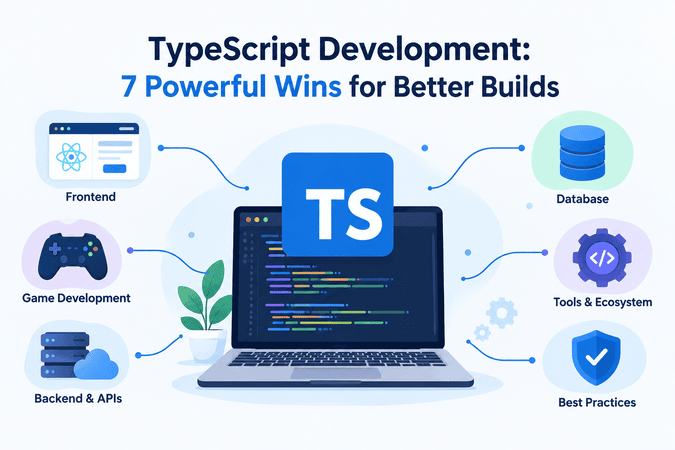
What Is TypeScript?
JavaScript is widely used for interactive websites, server-side applications, and browser-based games. TypeScript builds on JavaScript by adding static type checking and other development features. TypeScript code is commonly compiled into JavaScript, although supported TypeScript syntax can also be handled directly by modern Node.js versions.
The main advantage is that developers can describe the data their applications expect. For example, a game dashboard might receive a player profile containing a username, score, and account status. Explicit types can help developers detect accidental use of the wrong data structure while writing the application.
The official TypeScript Handbook provides a useful starting point for learning the language, its type system, and its relationship with JavaScript.
Developers who are new to programming should first understand variables, functions, objects, arrays, and asynchronous operations. CodeCondo’s guide to essential JavaScript fundamentals offers additional background before moving to TypeScript.
Developers who want to strengthen their JavaScript fundamentals before learning TypeScript can explore Eduonix’s JavaScript programming tutorials. Understanding JavaScript variables, functions, objects, and asynchronous operations makes it easier to work with TypeScript in full-stack applications.
What Does Full-Stack Web Development Mean?
Full-stack web development means working across the major layers of an application. These commonly include:
- Frontend: Interfaces, forms, navigation, dashboards, and interactive components.
- Backend: Application logic, authentication, APIs, and business rules.
- Data layer: Database access, validation, and data management.
- Infrastructure: Deployment, monitoring, security, and performance.
TypeScript can support several of these layers, allowing teams to use familiar language features across their applications. This does not eliminate the need to understand databases, networking, browser behavior, or server security. Instead, it helps developers create clearer contracts between components.
Seven Practical Benefits
TypeScript development can provide several advantages when applied thoughtfully:
- Earlier error detection: Static checks identify many incompatible assignments and incorrect property accesses.
- Better editor assistance: Autocomplete and navigation make unfamiliar code easier to explore.
- Clearer data contracts: Types document expected inputs and outputs.
- Safer refactoring: Type checking helps reveal places that need updates after a structural change.
- Improved collaboration: Teams can understand interfaces without relying entirely on informal documentation.
- Reusable models: Shared definitions can represent application entities consistently.
- Easier maintenance: Explicit types help developers understand complex projects as requirements evolve.
These benefits depend on implementation quality. TypeScript cannot automatically detect every runtime failure, prevent every security vulnerability, or guarantee that data received from an external service is valid.
Building Frontends with React and TypeScript
Frontend development determines how users interact with an application. In a game platform, this might include a player profile, an inventory screen, a leaderboard, a level editor, or an administration dashboard. In a business application, the same principles apply to reporting interfaces and workflow tools.
React provides a component-based approach to building user interfaces. Combining React with TypeScript allows developers to define the properties, state, and data structures used by those components.
Why React Works Well with TypeScript
Reusable components are easier to maintain when their expected inputs are clearly described. A leaderboard component, for example, may need a list of player names and scores. Type definitions help identify when a component receives an unexpected value or when another developer supplies the wrong properties.
This is valuable when several developers contribute to the same application. Instead of investigating every component manually, they can use editor assistance and compiler feedback to understand how the interface should be used.
The official React guide to TypeScript explains how to type components, work with hooks, and integrate TypeScript into React projects.
Improving Frontend Reliability
A TypeScript-first frontend workflow should include:
- Defining clear interfaces for component properties.
- Keeping related components small and reusable.
- Representing loading, success, empty, and error states explicitly.
- Validating user input before submitting it.
- Testing important interactions rather than relying exclusively on compilation.
TypeScript development becomes especially valuable when multiple developers maintain reusable React components. Clearly defined properties can reduce misunderstandings and make it easier to update one component without unexpectedly breaking another.
For example, a game administration dashboard may contain separate components for player profiles, match histories, inventory management, and leaderboards. Each component can use well-defined data structures instead of relying on loosely documented objects.
Developers exploring frontend tools can also consult CodeCondo’s overview of online JavaScript editors for web developers. Although the article focuses on JavaScript editors, the tools and experimentation concepts can help developers explore browser-based programming workflows.
One important limitation remains: TypeScript types do not replace runtime validation. Information received from a server, uploaded file, or user-controlled form should still be checked before the application trusts it.
Using Node.js for Backend Development
A full-stack application needs more than a user interface. It may require account management, saved progress, payment integrations, multiplayer coordination, analytics, or administrative APIs. Node.js allows developers to execute JavaScript on the server, making it a natural option for applications already using JavaScript and TypeScript on the frontend.
Creating Consistent Backend Services
Node.js can support REST APIs, background tasks, database operations, and event-driven services. With TypeScript, developers can describe request parameters, response objects, application models, and function contracts.
This is useful when frontend and backend teams need to agree on the shape of data exchanged between services. A clearly defined API contract can reduce misunderstandings and make changes easier to coordinate.
For structured learning, Eduonix offers a full-stack development roadmap for beginners, which covers foundational web technologies and the progression toward frontend and backend skills.
Handling Data Safely
Consider the different types of information a game platform might manage:
- Player profiles and account settings.
- Match results and leaderboards.
- Game configuration and saved progress.
- Subscription details and administrative permissions.
TypeScript can help developers organize these data structures, but external information still needs runtime validation. An API must not assume that incoming requests are correct simply because the application itself uses TypeScript.
Authentication, authorization, database constraints, rate limiting, logging, and secure configuration remain essential. A well-typed backend can still contain serious vulnerabilities if these controls are missing.
Choosing the Right Runtime Setup
Node.js supports TypeScript execution for certain syntax through built-in type stripping in current releases. This does not perform type checking, and some TypeScript features require additional tooling or a compilation step.
Teams should select a setup that fits their framework, deployment environment, and build process. The official Node.js TypeScript documentation explains the available approaches and their limitations.
For API-driven applications, TypeScript development can improve consistency between service contracts and application models. Teams should still document endpoints, validate requests, test error conditions, and monitor production services.
TypeScript Game Development for Tools and Platforms
TypeScript game development extends beyond writing the gameplay itself. It can also support the web-based systems developers use to create, test, distribute, and manage games.
Browser-Based Games and Interactive Experiences
TypeScript can be used for browser games, interactive simulations, educational experiences, and game-related web applications. It is particularly useful when a project needs structured data, reusable modules, and clear separation between application components.
Developers may use it for:
- Player interfaces and game menus.
- Inventory and equipment management.
- Quest tracking and achievement systems.
- Browser-based puzzle and strategy games.
- Multiplayer lobby interfaces.
- Web-based game configuration tools.
The choice of rendering technology or game engine depends on the project’s requirements. TypeScript is not a universal replacement for languages and engines used in every game-development environment.
Building Internal Game Tools
A game studio may need more than a playable game. Teams often create internal tools for designers, testers, community managers, and operations staff.
Examples include level editors, asset catalogues, balancing dashboards, localization interfaces, and bug-reporting portals. React can provide the interface, while a Node.js service handles permissions, data access, and integration with other systems.
TypeScript development can help maintain consistency across these connected tools. A shared data model, for instance, can describe a level’s identifier, name, difficulty, and publication status so that multiple parts of the application work with a consistent structure.
A Practical TypeScript Example for a Game Tool
Consider a game studio that wants to display player scores in a leaderboard. A clearly defined data structure helps the frontend and backend agree on what information a player record contains.
const player = {
playerName: "Alex",
score: 1500,
level: 8
};

console.log("Player Name:", player.playerName);
console.log("Score:", player.score);
console.log("Level:", player.level);
In this example, the PlayerScore interface specifies the expected properties and their types. If a developer accidentally assigns text to score, a TypeScript type checker can report the mismatch.
This small example illustrates how TypeScript development can improve consistency in game dashboards, player-management tools, and other applications that depend on structured data. In a production system, the application should also validate player records received from an API or database.
Connecting Game Data to Web Platforms
Games and web platforms frequently exchange information through APIs. A platform might display player statistics, recent matches, community activity, or downloadable content.
The important architectural decision is to define clear boundaries between the game client, backend services, and administrative tools. Shared types can document expected data shapes, but each service should still validate incoming data independently.
For teams working on larger projects, this approach can reduce accidental mismatches and make features easier to extend without tightly coupling every component to the others.
Setting Up a TypeScript Development Environment
A reliable setup makes TypeScript development easier to learn, test, and maintain. Developers can begin with a lightweight project and add tools as the application’s needs become clearer.
Essential Tools
A typical environment includes:
- Visual Studio Code: A code editor with TypeScript support, navigation, and diagnostic features.
- Node.js: A JavaScript runtime for server-side applications and development tooling.
- A package manager: npm or another compatible option for managing project dependencies.
- TypeScript tooling: A compiler and configuration appropriate to the project.
- Version control: Git for reviewing changes and collaborating with other developers.
- Testing tools: Frameworks for checking application behavior and preventing regressions.
For developers looking for typescript development in Visual Studio Code, the built-in language support offers features such as autocomplete, error highlighting, code navigation, and refactoring assistance.
Configuring a Project
Start by creating a project folder, installing the required dependencies, and choosing a framework or application structure. Configure the compiler to match the target environment and enable stricter checks when practical.
Useful configuration decisions include:
- Selecting the JavaScript language target.
- Defining module and module-resolution settings.
- Enabling strict type checking.
- Separating source files from generated output.
- Adding linting, formatting, and test commands.
- Documenting the steps needed to run and build the project.
A setup TypeScript development environment checklist should also cover environment variables, dependency management, source control, and deployment configuration. These details help prevent a project from working only on the original developer’s computer.
Test the Setup Before Expanding
Begin with a small feature and confirm that the project can run, build, and report type errors as expected. Then add frontend components, API routes, and database integration incrementally.
A practical typescript web development tutorial should demonstrate not only how to write a component, but also how to run checks, handle errors, and verify application behavior. These steps are important because compiling successfully does not mean an application is free from bugs.
Developers should also understand the difference between type checking and execution. When using a runtime that strips TypeScript types, they may still need a separate type-checking command in their development or continuous-integration workflow.
TypeScript Development Best Practices
The value of TypeScript depends on how consistently a team uses it. Adding type annotations to a few files will not automatically make a large codebase reliable.
Use Clear Types and Interfaces
Prefer descriptive names and types that reflect the application’s actual domain. A player profile, game session, and payment transaction should have distinct models when they represent different concepts.
Avoid relying heavily on the broad any type, which disables important checks for the affected values. When the correct type is uncertain, use safer alternatives and narrow the value after validating it.
Good TypeScript development best practices also include enabling strict compiler checks where practical, keeping interfaces focused, and avoiding unnecessary complexity in type definitions.
Validate External Data at Runtime
Types describe what the program expects, but they do not guarantee that an API response, database record, or uploaded file matches that expectation.
Use runtime validation at important boundaries. Check required fields, permitted values, lengths, formats, and authorization before processing untrusted data. Keep validation rules consistent with the application’s business requirements.
Keep Modules Focused
Separate interface components, business logic, API access, and data validation where doing so improves clarity. Avoid creating a single module that handles unrelated responsibilities.
A focused architecture helps developers test individual features and change one layer without unintentionally breaking another.
Automate Quality Checks
A mature workflow can combine:
- Static type checking.
- Unit and integration tests.
- Code formatting and linting.
- Dependency and security checks.
- Continuous integration before merging changes.
- Monitoring and error reporting after deployment.
These practices complement TypeScript rather than replacing it. Together, they provide a stronger foundation for maintainable applications.
Document Team Conventions
Teams should agree on naming conventions, folder structures, error handling, API contracts, and code review expectations. Clear TypeScript development guidelines are particularly useful when developers join an existing project or maintain software created by another team.
Documentation should explain how to run the project, how to test changes, how data moves between services, and how production releases are managed. If a company also maintains manuscript development guidelines for technical documentation or publishing, those editorial rules should be kept separate from its software engineering standards.
Projects, Career Opportunities, and Future Possibilities
Learning TypeScript becomes more effective when developers apply it to projects that resemble real applications. Full-stack web development projects can start small and gradually introduce more complex requirements.
Project Ideas for Practice
Consider building one of these projects:
- Game leaderboard: Create a React interface that displays player scores and retrieves data from a backend API.
- Level-management dashboard: Build forms for creating, editing, and organizing game levels.
- Player inventory tool: Model items, quantities, and equipment rules with explicit types.
- Community portal: Add user profiles, discussion categories, and moderation controls.
- Game analytics dashboard: Present session counts, engagement measures, and match statistics.
These full-stack web development projects help learners practise frontend development, backend logic, data modelling, testing, and deployment. They also provide practical examples for a portfolio.
Common Challenges
TypeScript introduces concepts that may initially feel unfamiliar, including generics, union types, module configuration, and type narrowing. Developers can also lose time by creating overly complicated types before understanding the application’s actual requirements.
Start with the data structures and functions that matter most. Add complexity only when it solves a real problem, and use compiler feedback as a learning tool.
Career and Business Applications
TypeScript development skills can be useful for frontend engineering, full-stack development, developer tooling, and web-based game infrastructure. Organizations may also seek TypeScript development services when extending an existing application or building a new platform.
When evaluating a TypeScript development company in the USA or another market, examine its portfolio, testing practices, security approach, communication process, and experience with the required technology stack. Strong engineering practices are more meaningful than language choice alone.
AI-assisted coding tools may help developers draft tests, explore APIs, and explain unfamiliar code. TypeScript AI development workflows can combine these tools with static checking and automated tests, but generated code still requires review, validation, and testing. Human oversight remains important for security-sensitive systems and production applications.
Businesses should evaluate AI-assisted development by the quality of the resulting software, not simply by how quickly code is generated. Clear requirements, code review, security checks, and measurable testing outcomes remain essential.
Frequently Asked Questions
1. What is TypeScript development?
TypeScript development is the practice of building software with TypeScript, a language that adds static typing to JavaScript. It helps developers identify certain mistakes earlier and maintain clearer code as projects become more complex.
2. Is TypeScript useful for full-stack web development?
Yes. TypeScript can be used across frontend applications, backend services, and development tools. Combined with technologies such as React and Node.js, it can help teams maintain consistent data contracts across application layers.
3. Can TypeScript be used for game development?
Yes. TypeScript can support browser-based games, game interfaces, level editors, leaderboards, and web-based administration tools. The best technology stack depends on the game’s performance, rendering, platform, and engine requirements.
4. How can beginners learn TypeScript?
Start with JavaScript fundamentals, then learn basic types, functions, interfaces, modules, and compiler settings. Build a small application, practise validating external data, and gradually introduce testing and backend development.
5. Does TypeScript eliminate JavaScript errors?
No. TypeScript catches many errors during static checking, but it cannot prevent every runtime failure or security issue. Testing, runtime validation, secure architecture, and monitoring remain necessary.
Conclusion
TypeScript provides a structured way to build maintainable applications across frontend interfaces, backend services, and game-related web tools. When combined with React, Node.js, suitable testing practices, and clear architectural boundaries, it can help developers manage complexity as their projects grow.
The most effective TypeScript development strategy begins with clear data models, a reproducible environment, strict checks where practical, and regular testing. Developers should also remember that types complement rather than replace runtime validation and security controls.
Whether you are creating a browser game, an internal level editor, a community platform, or a full-stack business application, start with a small, well-defined feature and expand it through tested iterations. That approach helps teams build reliable software while keeping future changes manageable.